Only the next photo, never the whole list
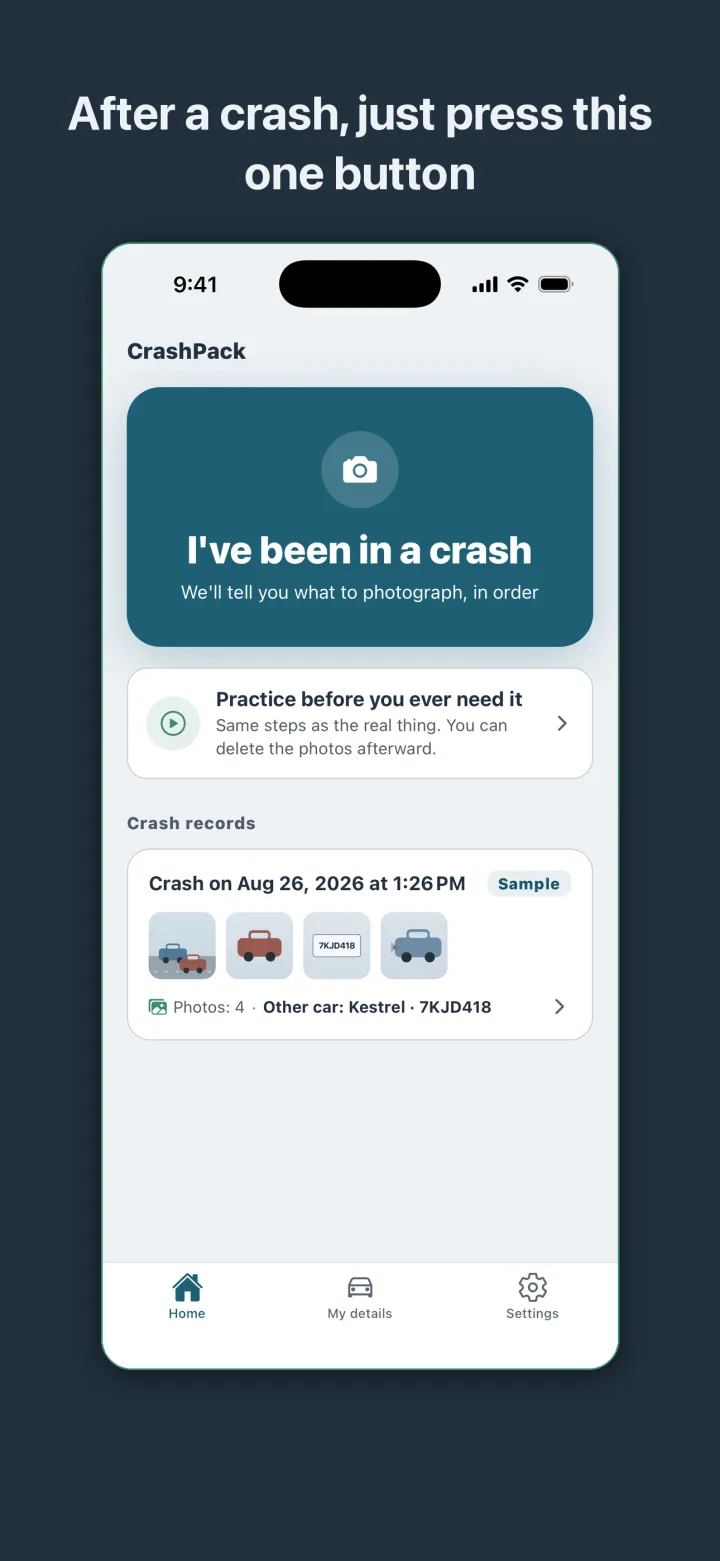
In the minutes after a collision, most people are shaken and are guessing at what an insurer will want later. CrashPack removes the guessing. Open the app, tap the crash button, and it shows one prompt per screen. Take the wide shot. Now the other vehicle. Now the license plate. Then the other driver's license and insurance card, the damage on both cars, and the road and signals around you. Big buttons, short prompts, no timer.
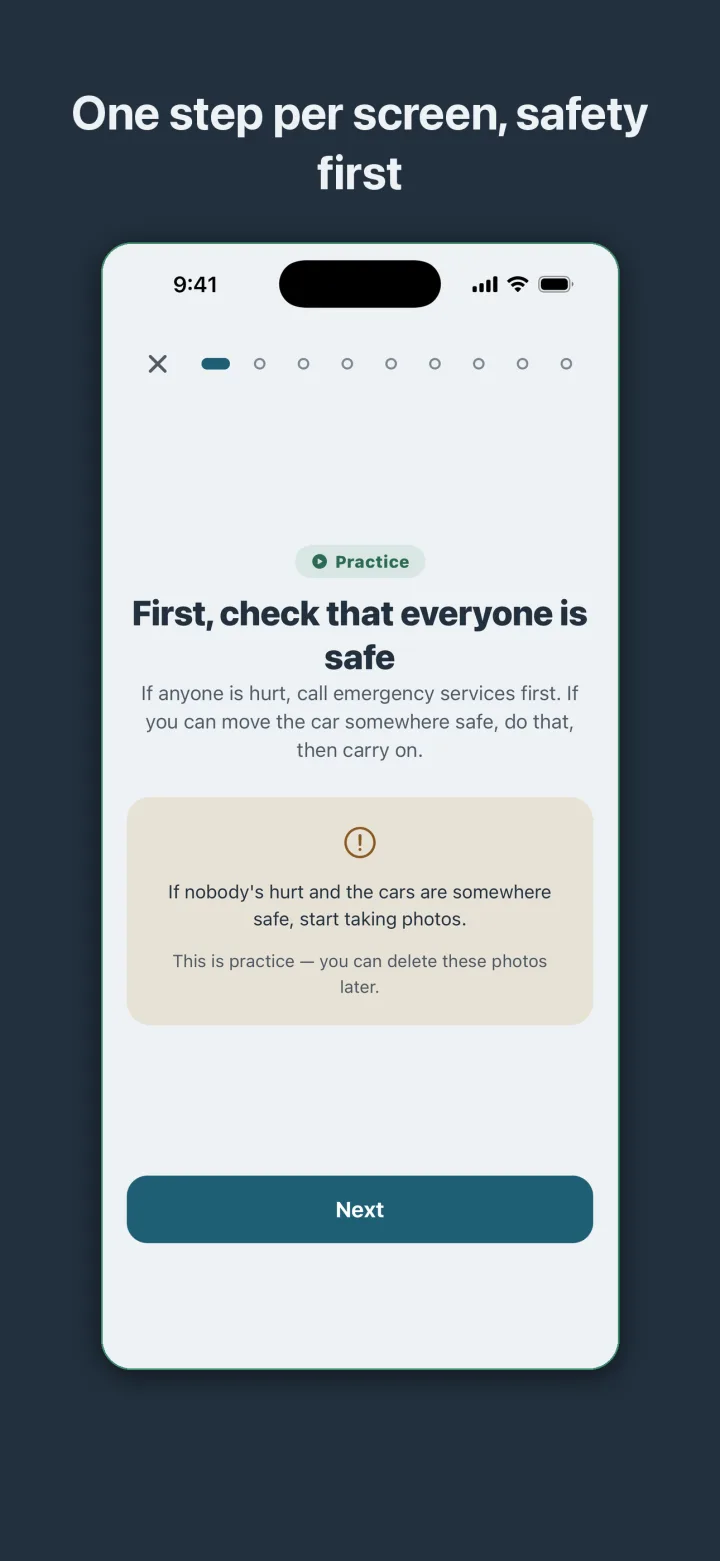
A safety check comes before any photo. The first screen tells you to check that everyone is safe and to call emergency services if someone is hurt. Only then does it ask you to start shooting. As you go, the photos stack into a strip so you can see at a glance what has been covered. Typing waits: names, addresses, witness details, and notes are all fields you can fill in later at home.
A timeline that shows the photos were taken at the scene
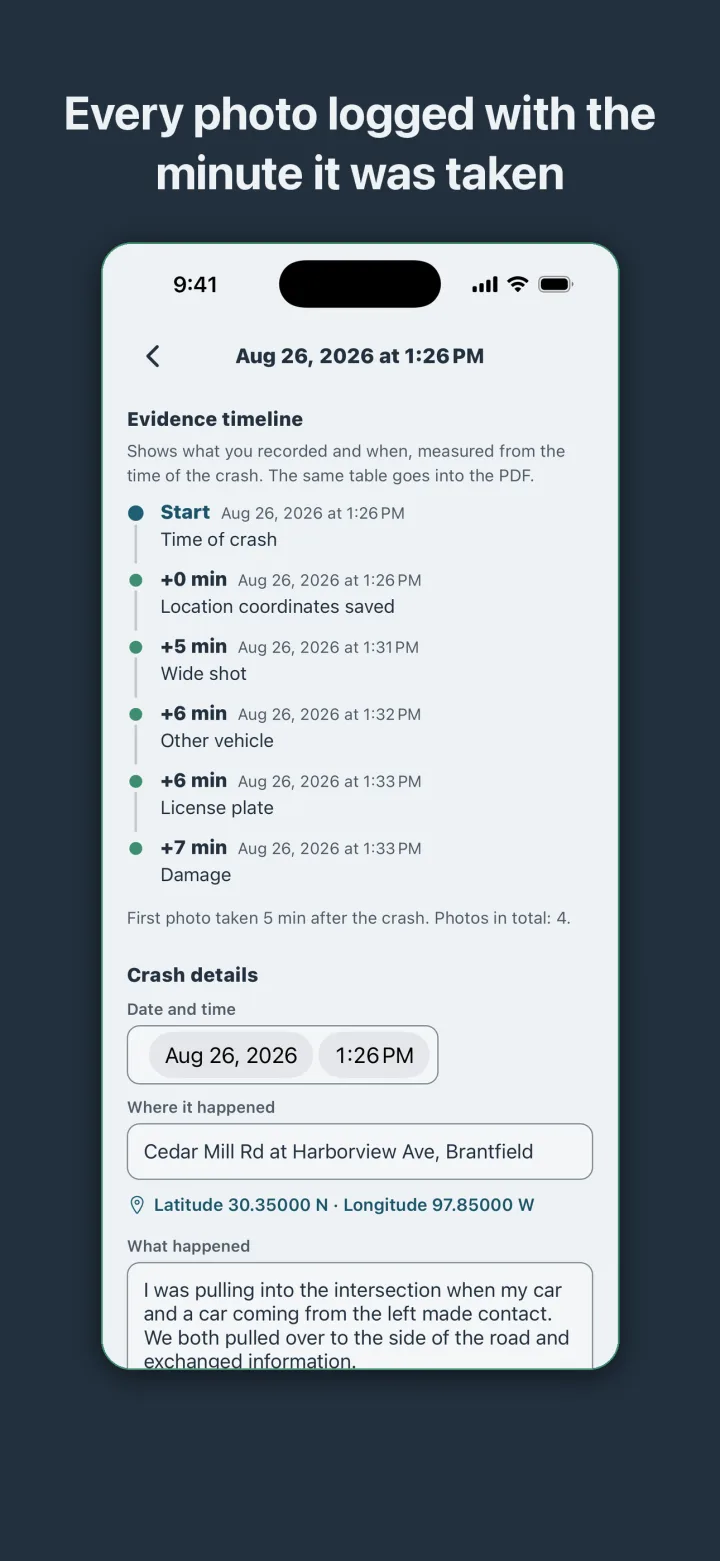
Every shot is stamped with the time it was taken and the number of minutes since the crash, and the record saves the location coordinates. The result is an evidence timeline: crash at 1:26 PM, coordinates saved at plus zero minutes, wide shot at plus five, other vehicle at plus six, plate at plus six, damage at plus seven. Anyone reading the record can tell that the photos were taken at the scene rather than assembled later. The same table goes into the PDF.
The PDF an insurer expects
When you are ready, the record becomes a PDF built for submission: a cover page, driver and vehicle details for both parties side by side, the evidence timeline, and photo pages with captions and capture times. You can preview it inside the app before you share or print it. Your own car and policy details are entered once and filled in automatically on every record after that.
A home screen shortcut lets you press and hold the app icon and start a record without opening the app first.
Rehearse it on the couch
Nobody wants to learn a tool at the roadside. CrashPack includes a practice run that walks through the exact same steps as the real thing, so you can try the whole flow at home, see what each prompt asks for, and delete the practice photos when you are done. A sample crash record is also on the home screen so you can see what a finished record and its timeline look like before anything has happened.
Offline by design, and no opinions about fault
CrashPack is fully offline. There is no account, no sign-in, and no server, and the app makes no network requests at all. It behaves the same in a parking garage, on a rural road, or at the mouth of a tunnel. That matters for privacy too: the other driver's license and insurance card are someone else's personal information, and they stay on your phone until you choose to share the PDF.
The app is a recording tool and nothing more. It does not give legal or insurance advice, it does not assign fault, and it does not estimate claims. It keeps an accurate record of what happened and leaves the rest to you and your insurer.