Beekeeping · for beekeepers who inspect hives with their gloves on

HiveScribeVoice hive inspection log

HiveScribe is a hive inspection log for beekeepers who do not want to take their gloves off to type. You point the camera at a QR label stuck to a hive, speak for as long as the inspection takes, and the app turns your words into a log card with tags: queen seen, brood pattern, queen cells, stores low. Speech recognition runs on the device, so an out-of-range apiary works the same as your kitchen. The tags feed a swarm-readiness indicator and a winter feed calculation based on published beekeeping guidance. Hive list, journal, and recordings stay on the phone.

  • Free
  • No ads
  • No account
  • Works offline
  • 45 languages
Get it onGoogle Play

Three moments

01

Say it with your gloves on

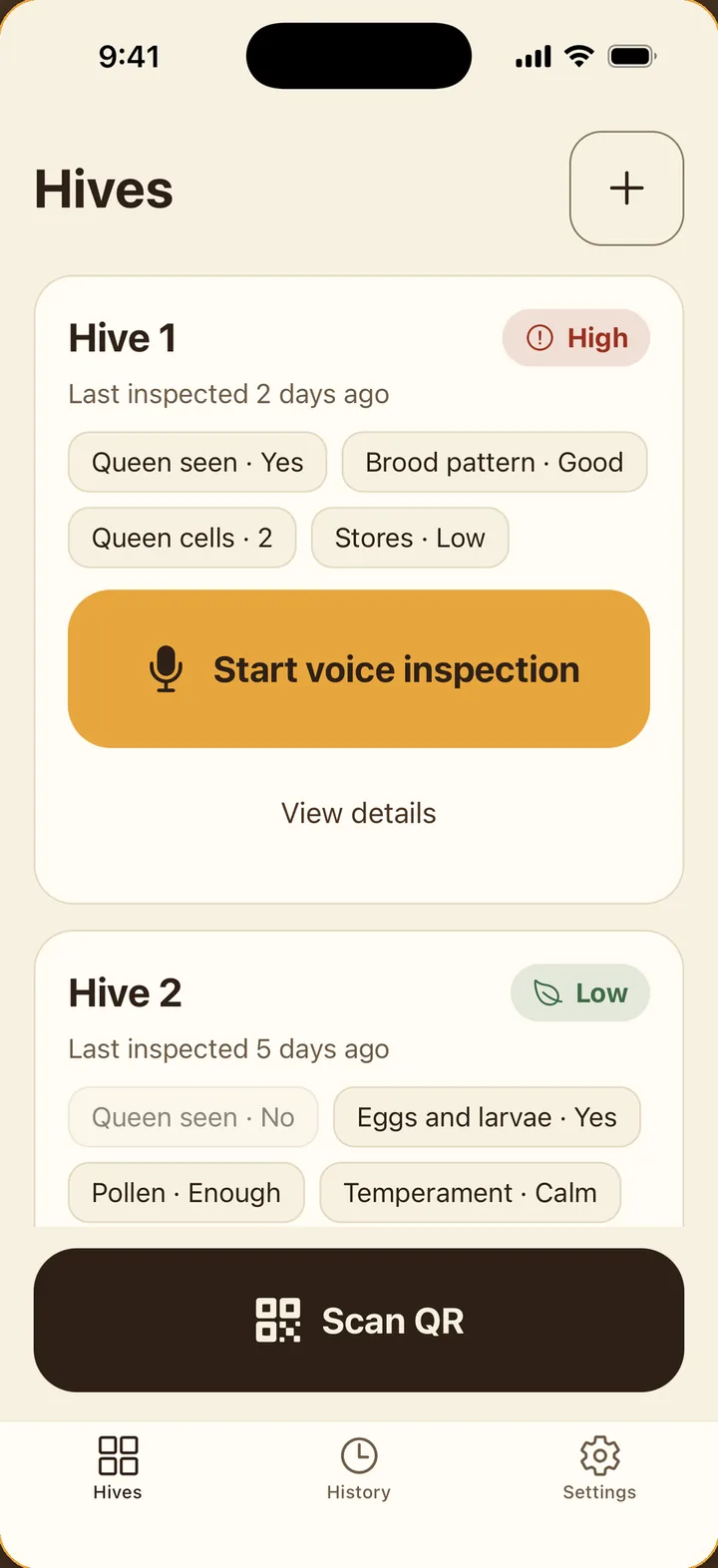
Each hive card carries a large microphone button. Tap it, or scan the hive's QR label with the bar at the bottom, and the inspection starts. The transcript runs under your voice as you talk. Silence at the end is the signal to finish, and a sound and a vibration mark the beginning, the end, and the finished card so the phone can stay on the lid.

02

Every word kept, tags filled in

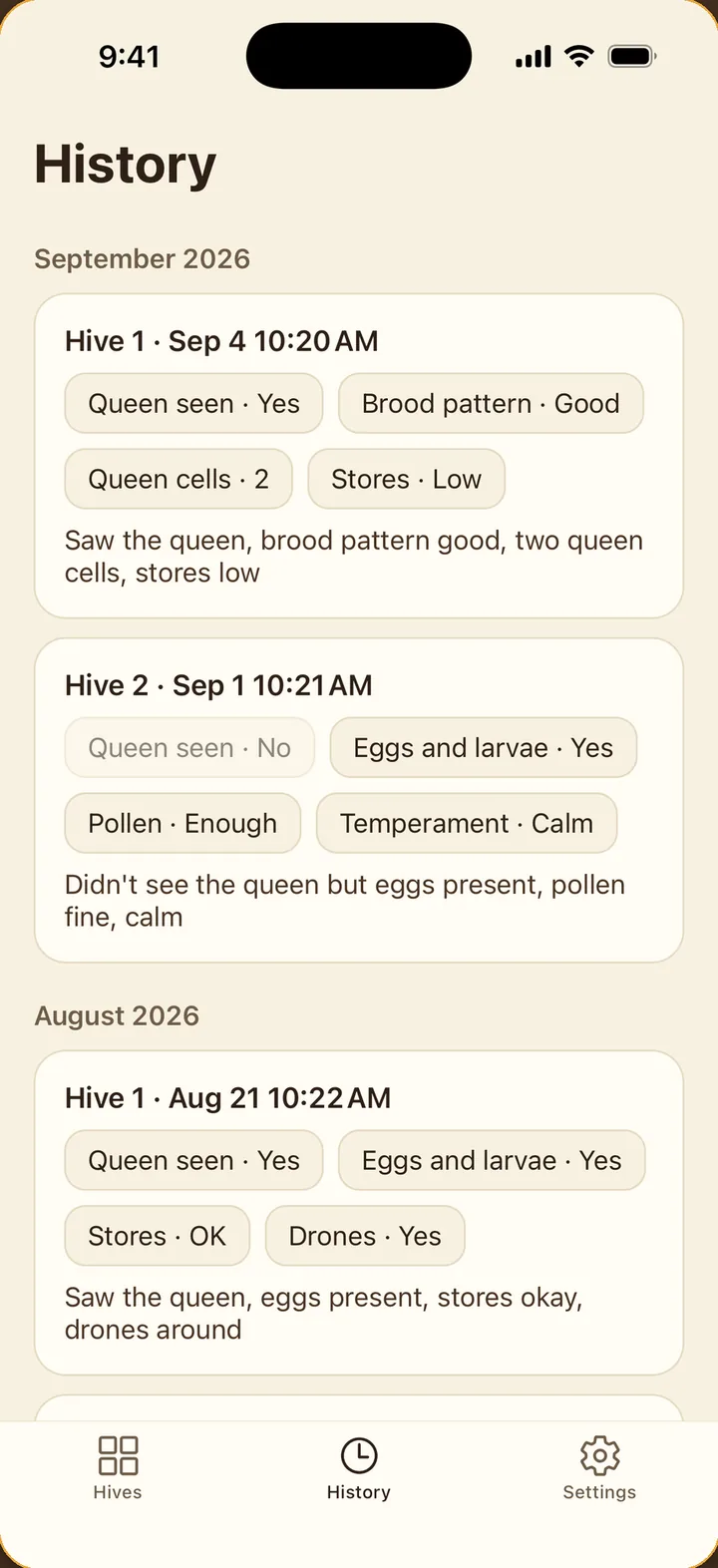
The History tab groups inspections by hive and by month. A row shows the date, the tag chips the recognizer pulled from what you said, and the sentence itself, word for word. Tags and wording can be corrected later at the kitchen table, and the original audio plays back so you can check what was heard.

03

Mention queen cells, see swarm signals

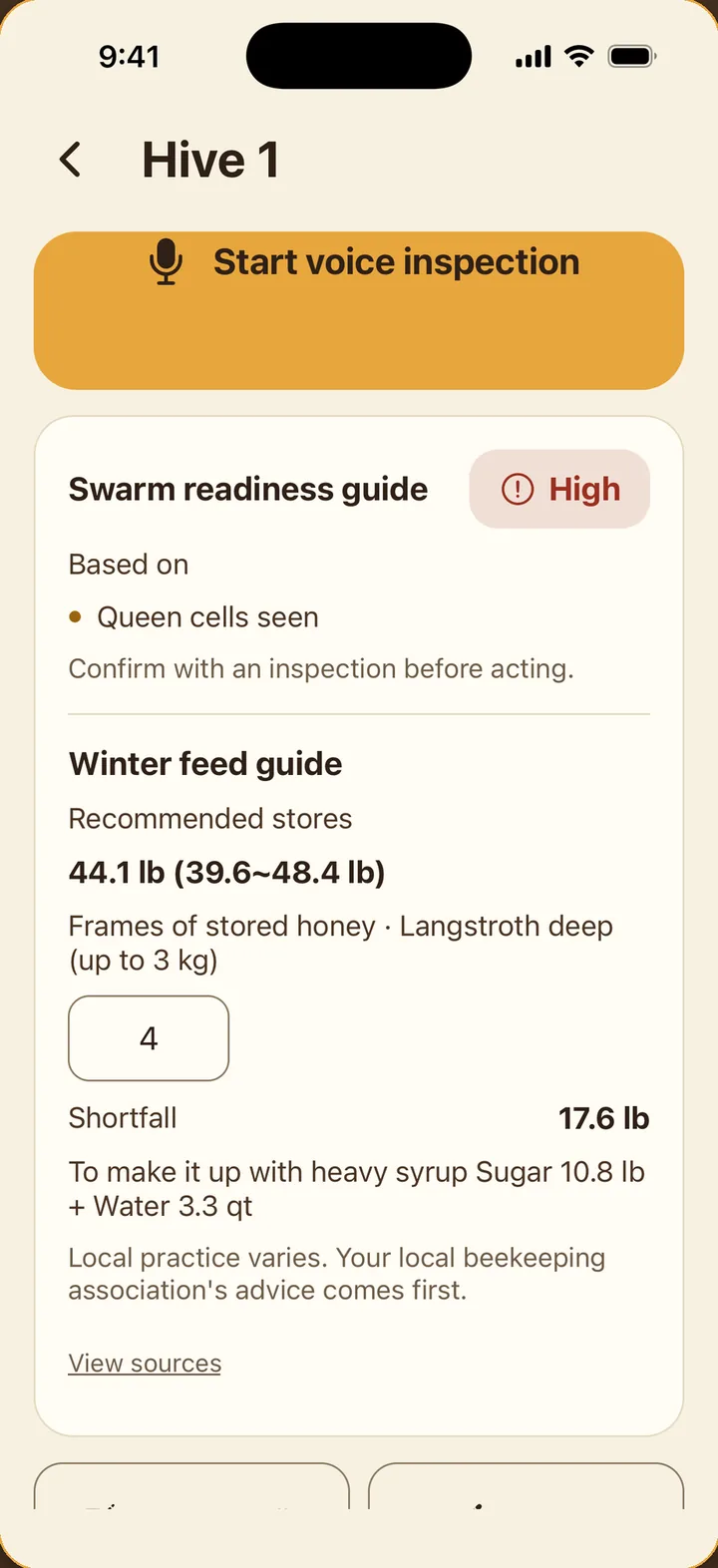
Under the mic button on a hive's page sits a calculation card. Queen cells and cups, crowding, and how far the season has run feed a swarm-readiness reading of low, watch, or high, with the signals behind it listed underneath. Count the frames of stores and enter the number: the card shows the recommended reserve for your climate zone, the shortfall in kilograms, and the sugar and water for a heavy syrup to close it.

Speech stays on the phone

HiveScribe uses the phone's on-device speech recognition and nothing else. No audio is sent to a server, there is no account, and the app never asks where your yards are. Where on-device recognition is unavailable for a language or a handset, the audio is kept and you tag the log by hand, so an inspection is never lost. The one copy that ever leaves the phone is the backup file you export on purpose, a single JSON file that loads back intact on a new phone.

QR labels for the boxes

The app lays out QR sheets for you: a grid of labels with hive names, ready to print or export as a PDF. Laminate them and fix one to the side of each box. A code carries nothing but an identifier used inside this app, so it reads with no connection, and a reprint scans as the same hive. Scanning a label opens that hive's inspection mode directly, which is the whole point when your hands are sticky.

Where the numbers come from

The swarm indicator and the winter feed figures rest on public beekeeping guidance: the National Bee Unit in the UK, UF/IFAS and UGA extension material in the US, and Embrapa in Brazil. Open View sources in the app to see which document a number came from. None of it is a prediction. The indicator points you at hives worth a closer look, and the decision comes from the inspection in front of you.

Nothing to set up first

One tap creates a hive, the mic button sits on its card, and the first log card is finished long before the labels come out of the printer. An inspection interval you set turns into a reminder for the next visit. The screen is built for where it is used: contrast that survives midday sun, controls a gloved thumb cannot miss, and sound and haptics for the moments you would otherwise stop and look. Larger text, dark theme, and reduced animation follow the phone's settings, and screen readers read every control by name.

Frequently asked questions

Does it need internet at the apiary?

No. QR scanning, voice inspections, and the feed and swarm calculations all run on the phone with no connection.

What if the recognizer gets a word wrong?

Open the log card and edit the tags or the text. The original audio is kept so you can listen back.

Which languages does voice recognition support?

Whatever the phone's on-device recognition supports for your language. If it is unavailable, the recording is kept and you tag the inspection manually.

Do I have to use the QR labels?

No. You can start an inspection from the mic button on any hive card. The labels just get you to the right hive faster with gloves on.

Is anything sent to a server?

No. There is no account, no server, and no analytics. The only file that leaves the phone is the backup you export yourself.

Is it free?

Yes. No ads and nothing held back behind a purchase.

Get HiveScribe

Pick the channel you use.

Get it onGoogle Play