What is in the library
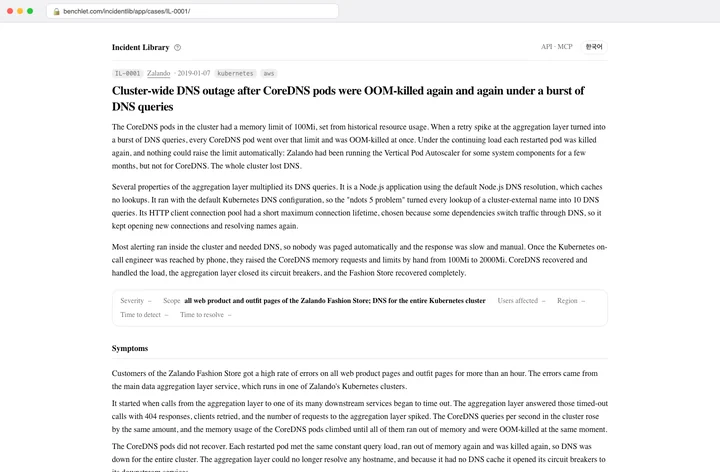
Every case comes from a report an organization published itself: a postmortem page, an engineering blog post, a status page incident, a conference talk or a runbook entry. The library does not copy the report. It records the facts in a fixed set of fields and links to the source, so you read the summary here and the full story where it was written.
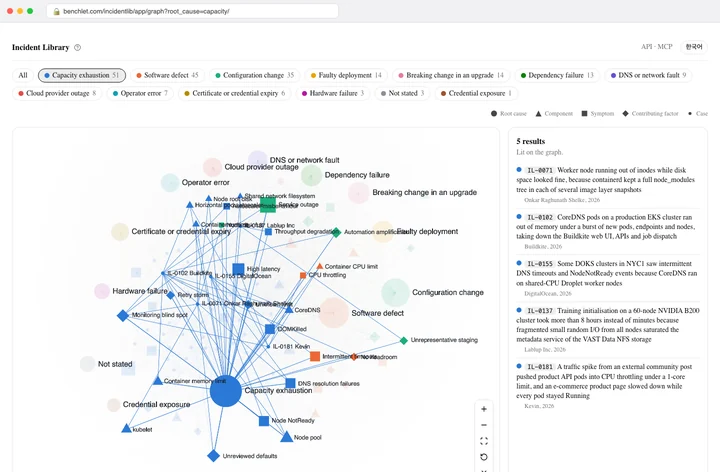
Cases are tagged with one root cause out of thirteen, the components involved, the symptoms people saw and the contributing factors, using one shared vocabulary, so a symptom you type can be matched against what other teams recorded. The reports come from every kind of production system that publishes them; the largest groups today are Kubernetes platforms in the broad sense, from DNS and networking plugins to node pools, schedulers, controllers and the cloud services clusters run on, and the GPU and AI infrastructure built on them, with training jobs, inference services and the drivers and schedulers underneath.
How the search works
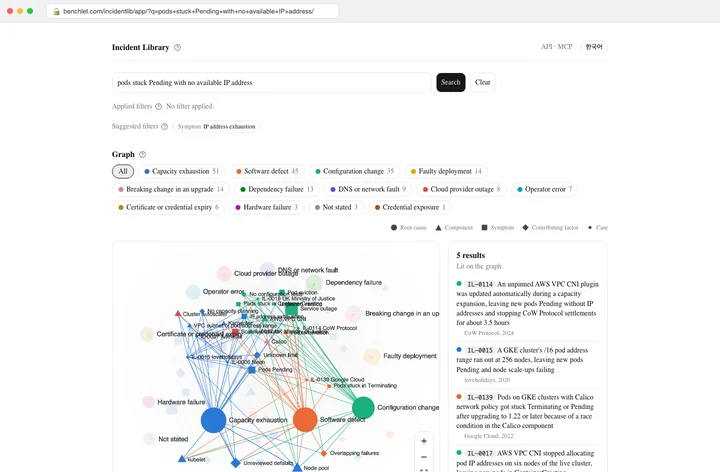
You can search with a whole sentence, not just keywords. Behind the box, the text of every case is split into passages and indexed two ways: by the words it contains and by a multilingual embedding of its meaning. A query runs against both indexes and the results are fused, so a sentence about DNS lookups timing out after a deploy finds a case that talks about CoreDNS pods being OOM-killed under a burst of queries, even though the words differ.
The search also reads your sentence for the vocabulary the library uses. If it recognises a component, a symptom or a root cause, cases tagged with that value move up. Filters you choose by hand do the same, and a search can be filters only, with no sentence at all.
Results come in two views: grouped by root cause, which shows at a glance what kinds of failure match your symptom, and listed case by case. Short queries open the grouped view first.
Two languages, one case
Every case is written in English and Korean, and both texts are searched. You can type in either language and read the result in either; the address carries the language, so a shared link opens in the language you were reading.
The Korean text is a parallel write-up of the same facts, reviewed together with the English one, not a machine translation of it.
For AI tools and scripts
The same search and the same cases are open over a public HTTP API at https://incidentlib-api.benchlet.com, with no key and no account. Three calls cover most needs: GET /search?q=pods stuck Pending with no available IP address returns the matching cases, best match first, with the total and a link to the next page; GET /cases/IL-0001 returns one case with every field, and GET /cases/IL-0001/similar the cases most like it; GET /vocab?q=coredns finds the identifiers of root causes, components, symptoms, factors and organizations to use as filters. Answers are JSON, errors follow RFC 9457 problem details, and the whole surface is described in the OpenAPI document at https://incidentlib-api.benchlet.com/openapi.json. One address may make 30 searches and 120 other requests a minute.
The MCP server is at https://incidentlib-mcp.benchlet.com/mcp. MCP, the Model Context Protocol, is the open standard by which AI assistants such as Claude, Cursor and VS Code call outside tools. The server speaks Streamable HTTP and needs no authentication. In Claude Code the command is claude mcp add --transport http incidentlib https://incidentlib-mcp.benchlet.com/mcp; in Cursor the entry in .cursor/mcp.json is {"mcpServers": {"incidentlib": {"url": "https://incidentlib-mcp.benchlet.com/mcp"}}}; in Claude Desktop it is a custom connector with that address.
The server offers five tools. search_incidents takes a symptom sentence and optional filters and returns the similar cases with their categories counted; get_incident returns one case in full with the cases that share its root cause and a component; list_incidents lists every case of a root cause or component, one page at a time; get_topic opens one category value with its cases and the categories they carry; vocab turns words into identifiers. Ask the assistant something like "our CoreDNS pods keep getting OOMKilled after a deploy, has anyone written this up?" and it answers with case numbers and the source addresses it can cite.
The site also serves https://benchlet.com/incidentlib/app/llms.txt, a short map of the service for AI tools, and llms-full.txt with every case as text.
Where the cases come from
Cases are added by hand from public reports, each one read and written up in both languages before it is published. Facts that a report does not state are left empty rather than guessed. Nothing in the library is generated from the report text automatically; the write-up is a summary made by a person, the structured fields are filled in from it, and the link to the original stays on every page.