Where the paper trail usually breaks
State lemon laws are written in counts. California, New York and Texas, for example, each look at how many times the same problem was repaired and how many days the car spent out of service, inside a window that starts at delivery. Those counts live on repair orders, and repair orders scatter: a printout in the glovebox, a PDF in an email thread, a visit you remember but cannot date.
LemonLedger gives each visit one place to land. It does not replace the dealer's paperwork. It keeps a dated, ordered copy of what that paperwork says, next to your own description of the problem, so the history reads the same way six months later as it did the week it happened.
One thread per defect
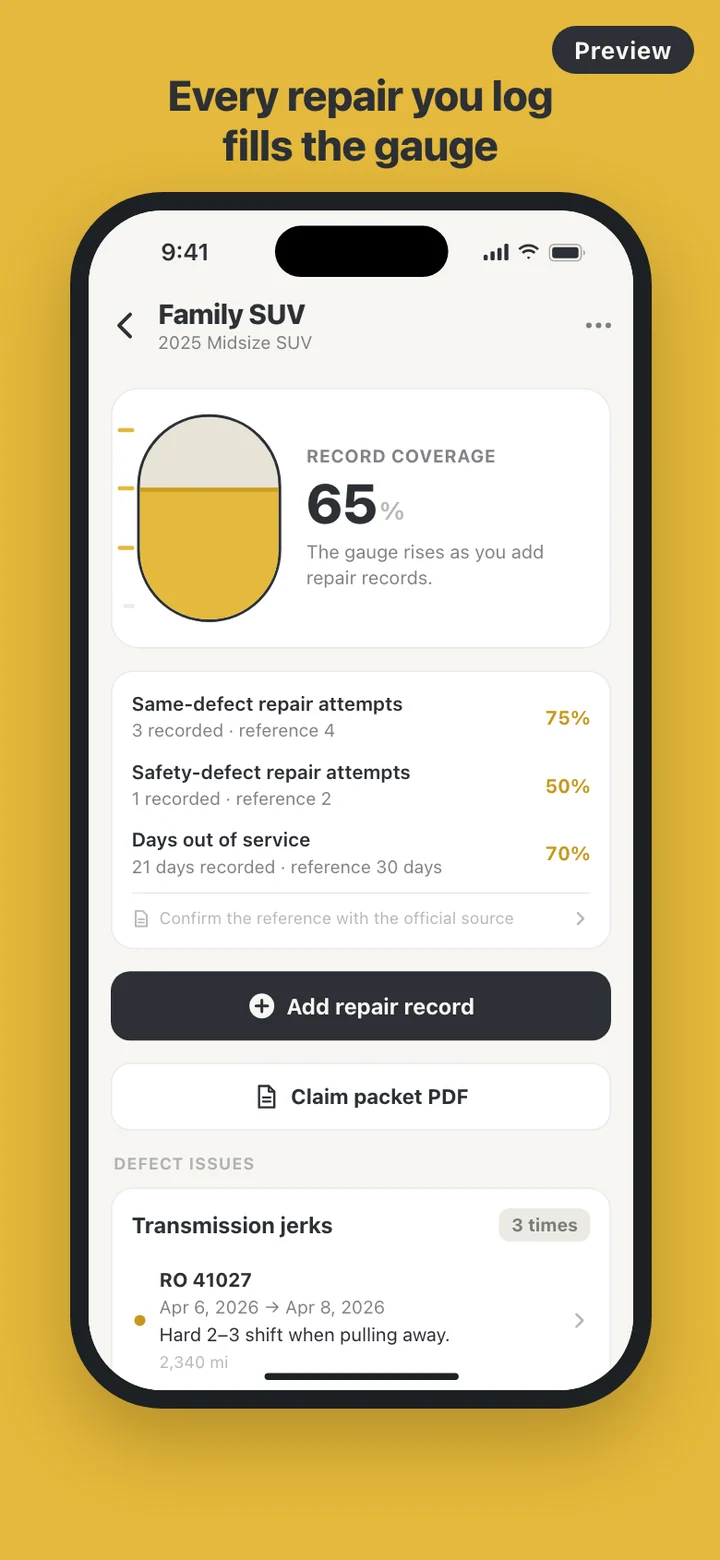
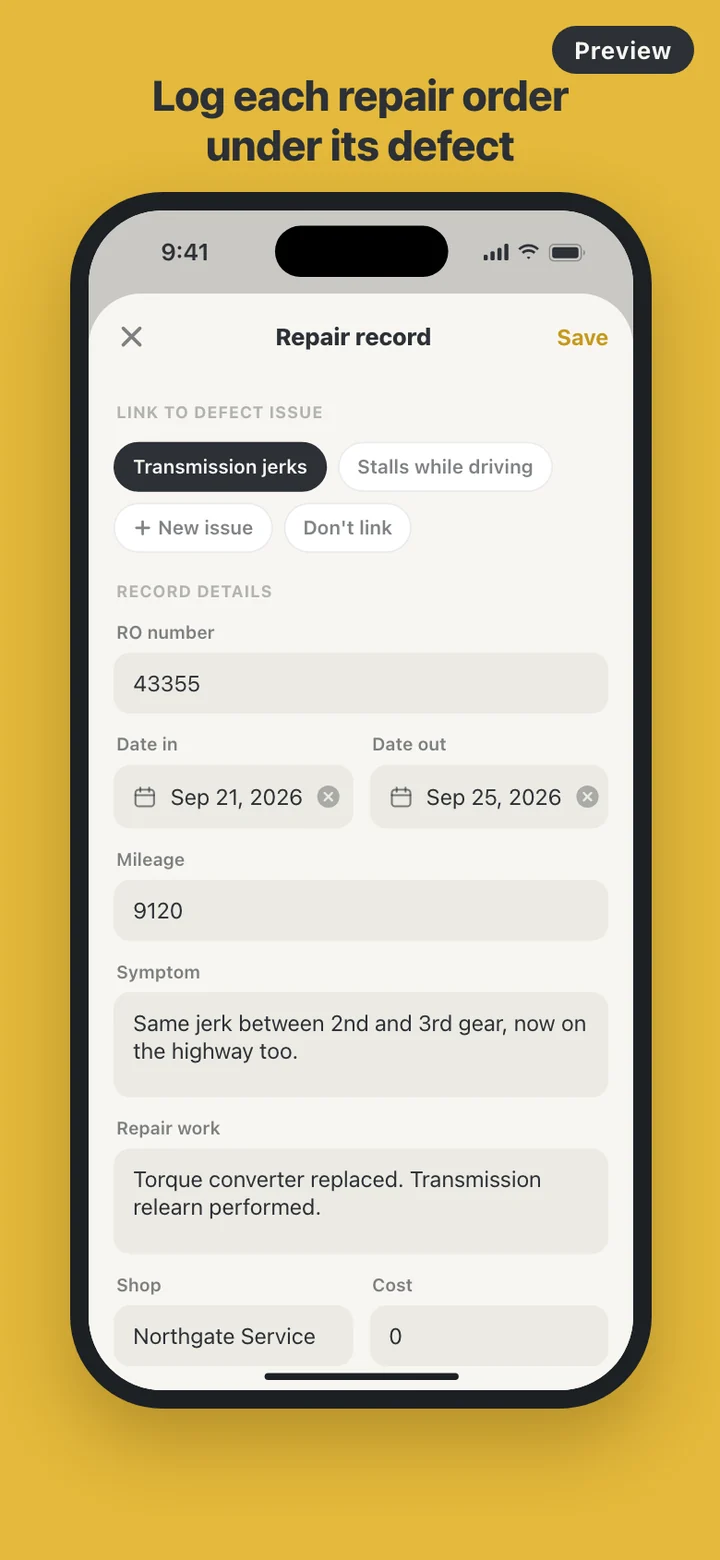
Repeat repairs are the heart of a lemon law record, so the app groups visits by defect. A transmission that jerks, then jerks again after a software update, then shudders in traffic is one issue with three repair records under it, and the issue shows the count. Visits that do not fit a defect yet can stay unfiled until you know where they belong.
Defects that affect safety, such as brakes, steering or stalling, can be flagged when you create them. California and Texas, for example, use a lower repair count for a serious safety defect, so the flag feeds a separate safety-defect line on the gauge.
Days out of service are counted from the date in to the date out, both days included. Overlapping visits are counted once, and a car still at the shop counts up to today and is marked provisional. If a record has no date out, an optional reminder nudges you a week later, worded so a lock screen never mentions lemon law or claims.
What the gauge measures, and what it does not
Choose a state for the car, from all 50 states and Washington, D.C., and the gauge compares your records with that state's reference numbers: repair attempts on the same defect, attempts on defects you flagged as safety-related, and total days out of service. Each line reads like 3 recorded · reference 4, and the gauge fills as the lines do.
The Standards tab shows those numbers with the name of the statute they come from, the date they were checked and a button that opens the official source in your browser. The gauge, the Standards tab and the PDF all remind you to confirm the numbers there, because laws change and coverage windows, notice rules and exceptions differ from state to state.
The gauge never says a car is a lemon, that a claim will succeed or what to do next. It counts what you have on record and leaves the reading of it to the people who review the file.
What is inside the claim packet
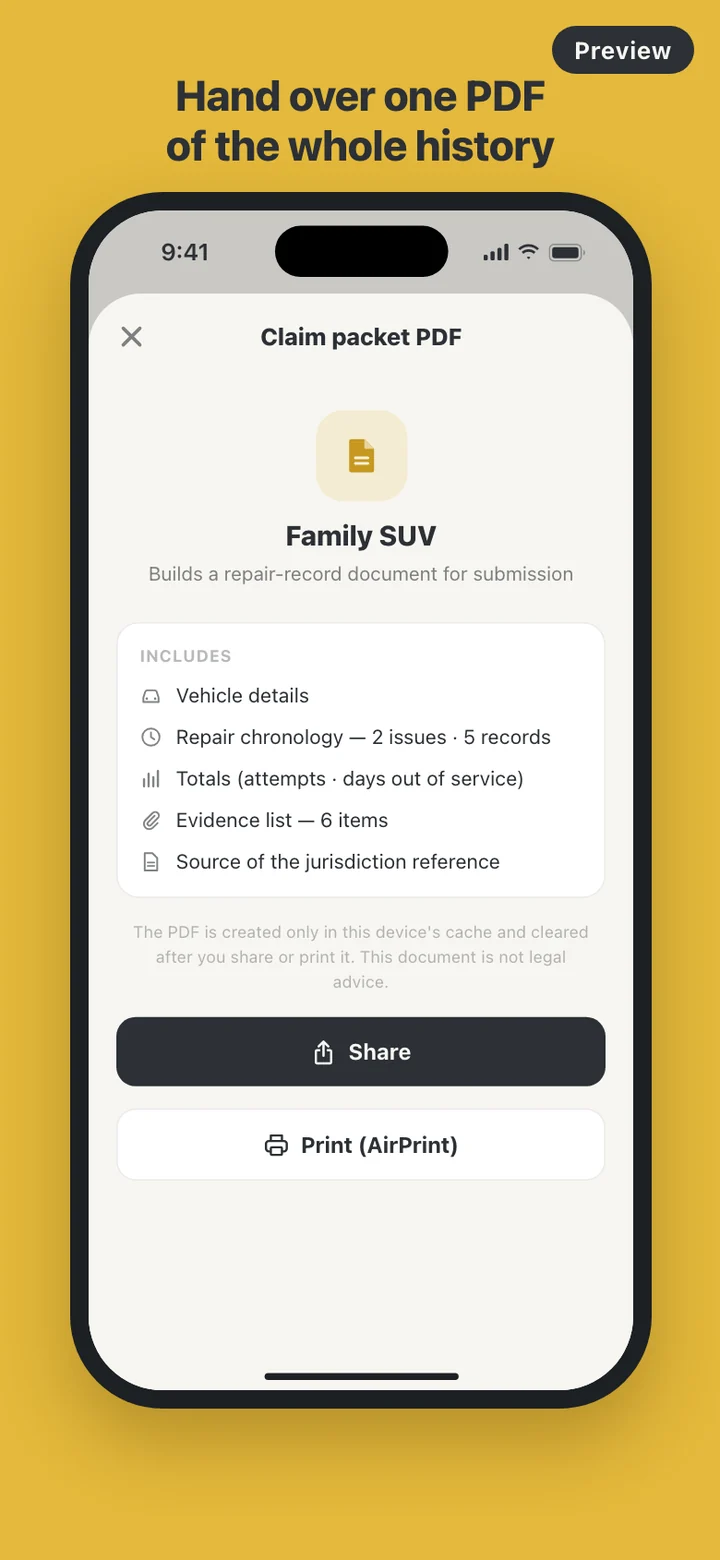
The PDF opens with a cover page showing the car's name, the date it was generated, the period the records cover, the state, and a line stating that it is an owner-prepared record and not legal advice. Next comes a vehicle page with make, model, year, VIN, delivery date and mileage at delivery.
The chronology is the spine: a table per defect with dates in and out, RO number, mileage, symptom, work done and days at the shop for each visit. A totals section lists each count against its reference number without any verdict, followed by the evidence list and the statute citation with its web address. Blank fields print as Not entered rather than disappearing, so you see the gaps before anyone else does.
Photos and documents are listed by file name, the repair order they belong to and the date they were added; the images themselves are not placed in the PDF. For US states the packet prints on Letter paper with mileage in miles.
Start with the demo car
The first time you open LemonLedger, the garage holds a demo car from a made-up brand, already carrying two defects, five repair records and a partly filled gauge, so you can see what a finished history looks like before typing anything. You can delete it whenever you like.
Adding your own car takes one field, a nickname. Make, model, year, VIN, delivery date, mileage at delivery and state can come later, and records can be added before a state is chosen.
What it deliberately leaves out
There is no account, no server and no cloud sync. LemonLedger makes no network requests. The only way a record leaves the phone is a PDF you choose to share or print, and opening an official source hands off to your browser. Delete all data in Settings removes every car, record, attached file and cached PDF from the device.
It also does not give legal advice, judge eligibility, estimate your odds, write letters to the manufacturer or connect you with a lawyer. It is a place to keep the record straight.
LemonLedger is a record-keeping tool, not legal advice. Lemon law rules differ by state and change over time. Check the official source for your state, and talk to a qualified attorney or your state's consumer protection agency about your own situation.