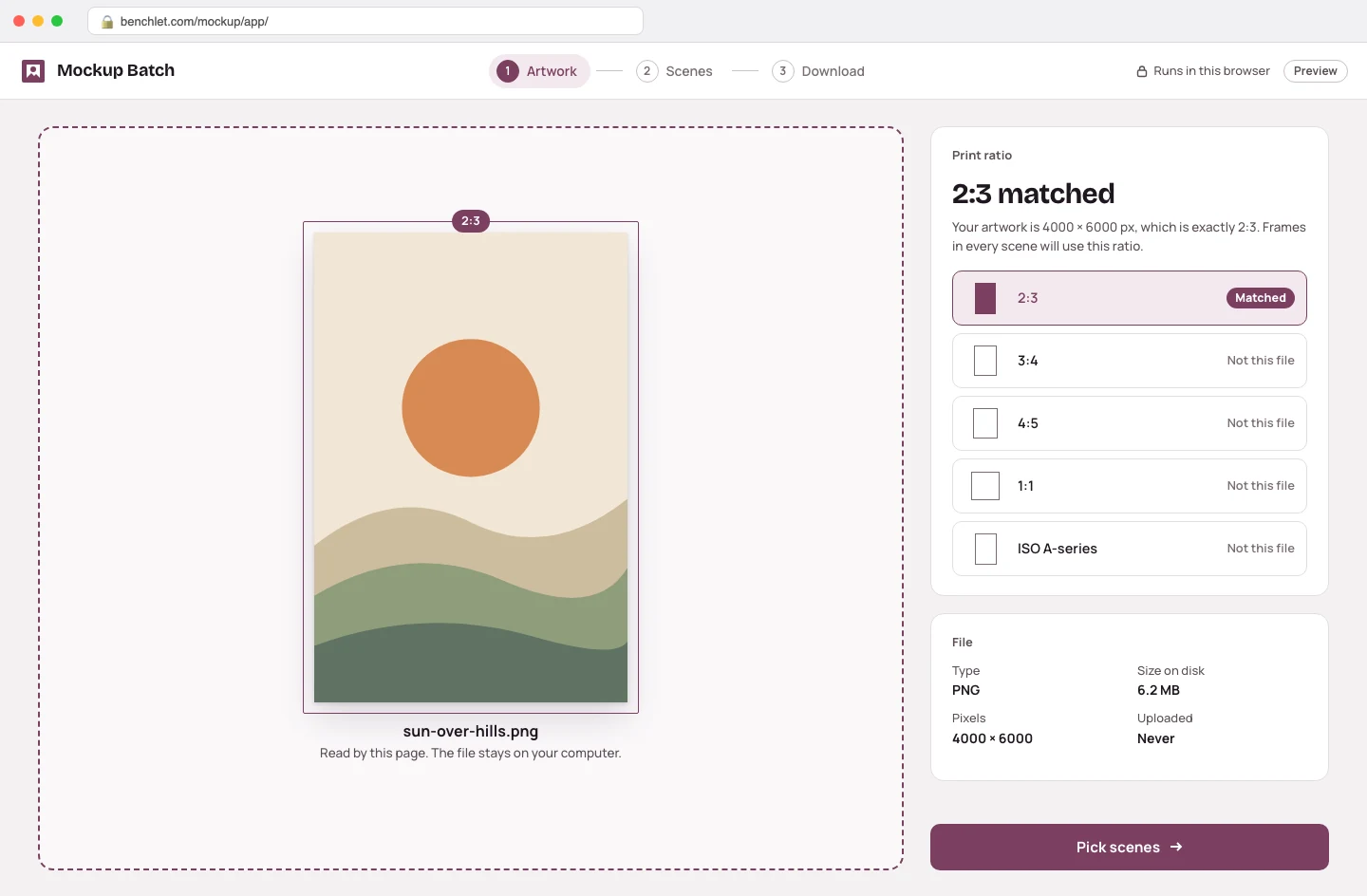
Drop your artwork
One PNG or JPEG. The tool detects the aspect ratio and matches it to the standard print ratios sellers list: 2:3, 3:4, 4:5, 1:1, and A-series.
Etsy sellers · for digital print sellers
Mockup Batch is a free web tool for Etsy digital print sellers. Drop one PNG or JPEG, and it composites a full listing set — framed close-ups, living-room walls, gallery scenes — using the canvas engine in your own browser. Your file never touches a server, and there is no subscription, account, or watermark.
One PNG or JPEG. The tool detects the aspect ratio and matches it to the standard print ratios sellers list: 2:3, 3:4, 4:5, 1:1, and A-series.
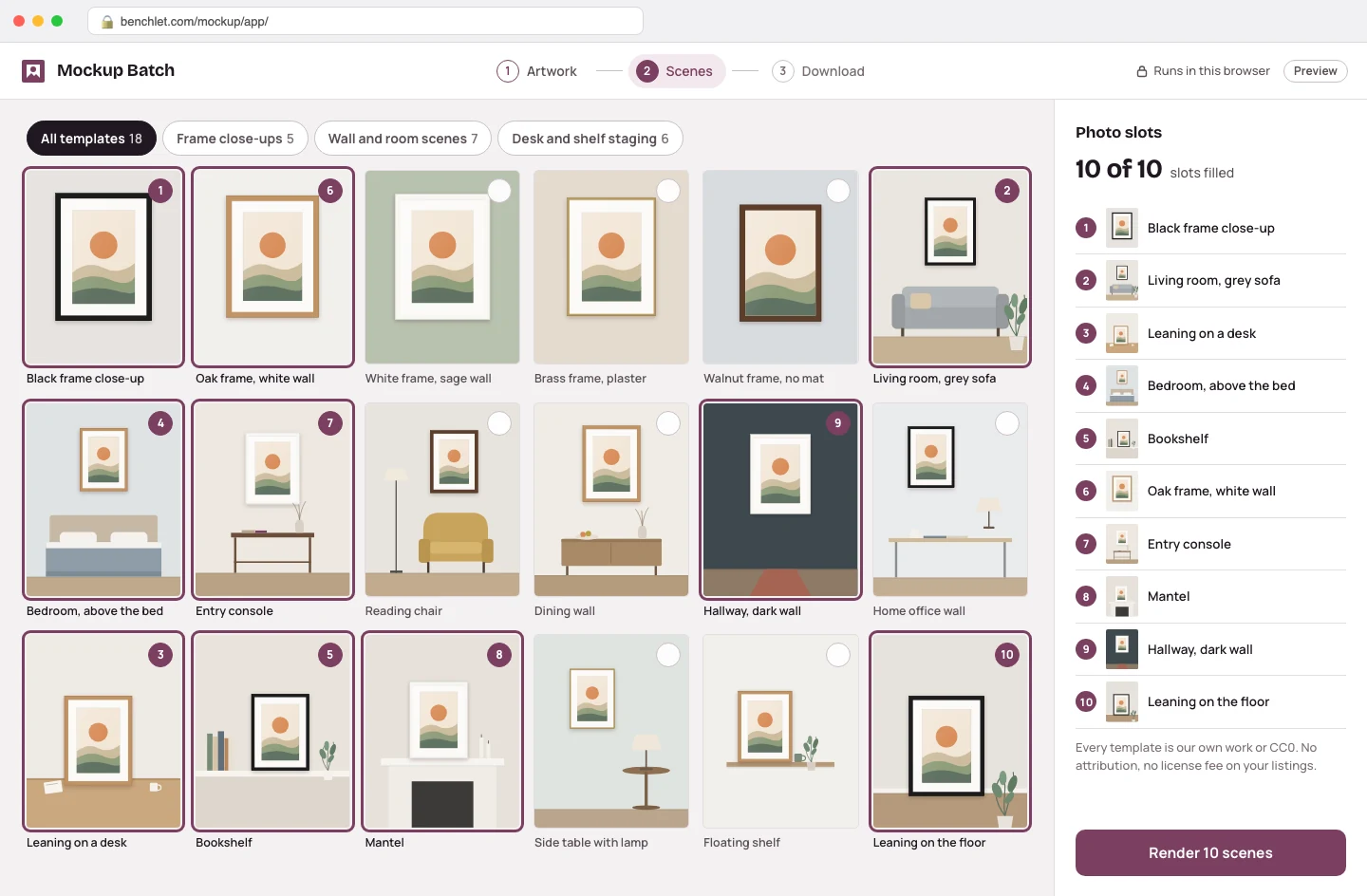
Choose from the template set: frame close-ups, wall and room scenes, desk and shelf staging. All templates are our own work or CC0, so there is no licensing tail on your listings.
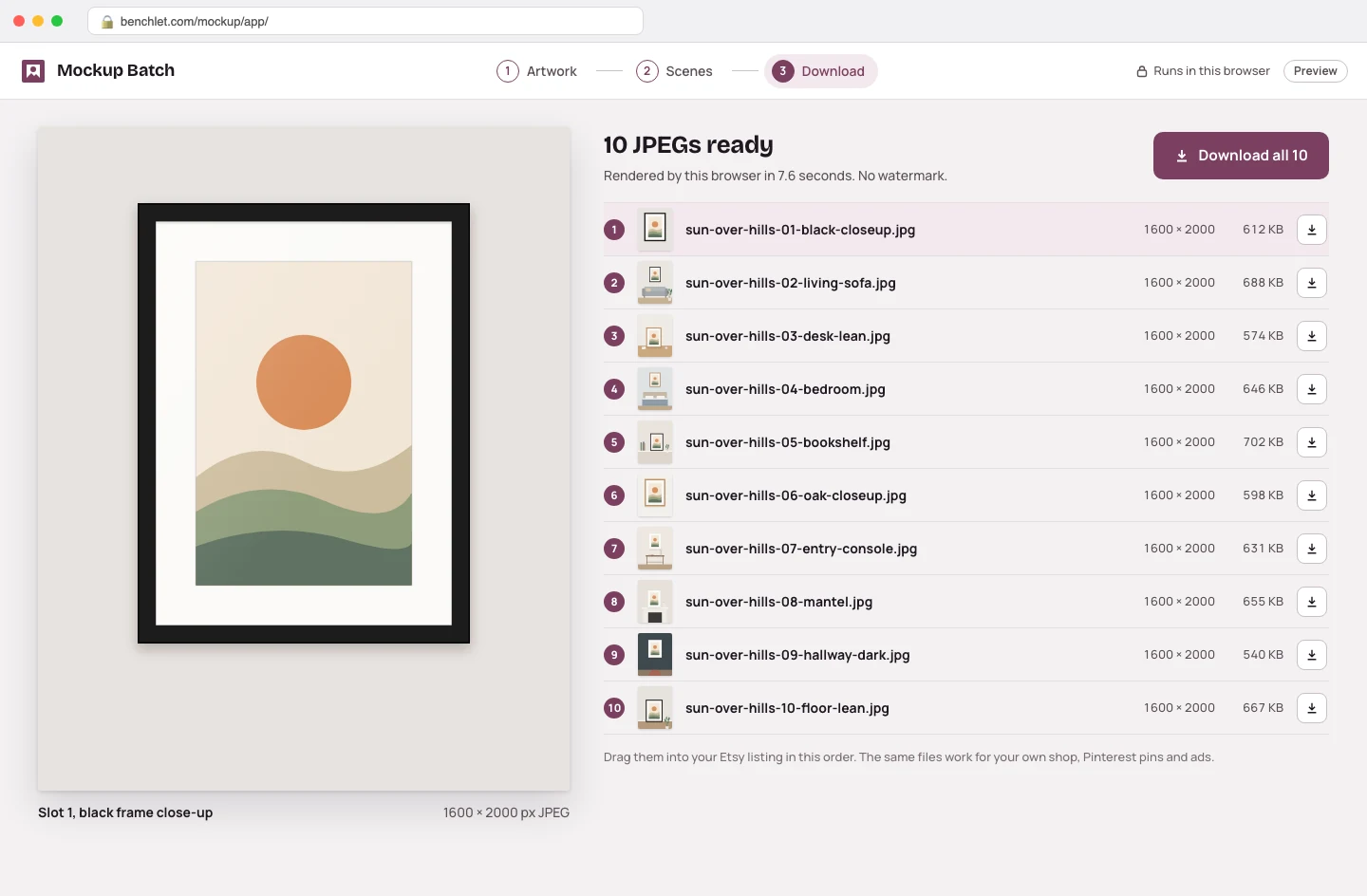
Every scene renders at 2000 px on the long edge and downloads as JPEGs, named and ready to drag into your Etsy listing's photo slots. A 10-scene batch finishes in under 10 seconds on an ordinary laptop.
If you sell printable wall art, every listing needs mockups — Etsy gives you 10 photo slots, and listings that fill them with varied scenes convert better than a bare artwork file on a white background. But the artwork itself is a flat PNG; the "photos" are all staged. So the real production line of a digital print shop is not printing at all. It is putting the same image into ten different frames and rooms, over and over, for every single listing.
The tooling for that job comes in exactly two shapes today, and neither fits a small shop. Subscription generators such as Placeit run $14.95 per month ($89.69 billed yearly), and Smartmockups — after its merger into Canva — sits inside a plan around $18 per month. That pricing makes sense for an agency producing daily; it does not make sense when you list a handful of prints a month and need maybe forty images. The other shape is PSD mockup files: often cheap or free, but they assume you own Photoshop and know your way around smart objects, and they process one scene at a time.
Mockup Batch takes a third shape. The scene templates live in the page; your artwork is read locally and drawn into each scene with the browser's built-in canvas compositing — perspective, scaling, and frame shadows included. Because no server does any work, two things follow directly. It can be free, permanently: a batch costs us nothing to render. And it is private by construction: an unreleased design, a client commission, artwork you have not published yet — none of it is uploaded anywhere, because there is nowhere for it to go. On an ordinary laptop a 10-scene batch finishes in under 10 seconds, offline included once the page has loaded.
It is deliberately narrow. It does not generate artwork, write listing copy, or manage your shop. It does one job — the repetitive staging step between a finished design and a published listing — and it does that job on your machine, for free. If your volume is agency-scale and you want thousands of niche templates, a paid subscription library may still earn its fee. If you are a seller who needs a clean set of ten scenes per print without renting software every month, this is built for you.
Correct. The compositing uses the HTML canvas element in your own browser. When you pick a file, the page reads it locally, draws it into each template scene on your machine, and hands you the finished JPEGs as downloads. There is no upload endpoint on this page at all, so your unreleased designs cannot sit on someone else's server.
Two ways. First, price: Placeit charges $14.95 a month (or $89.69 a year) for unlimited access, and Smartmockups now lives inside a Canva plan at around $18 a month. This tool is free, because a batch that renders on your computer costs us nothing to serve. Second, privacy: those services composite on their servers, which means uploading your file. Here it never leaves your machine.
Every scene is either created by us or built from CC0 (public-domain-equivalent) sources, so there is no per-image licensing to worry about. You can use the exported mockups in Etsy listings, your own shop, Pinterest pins, and ads without attribution or extra fees.
It accepts PNG and JPEG input and maps your artwork onto the standard print ratios digital sellers actually list: 2:3, 3:4, 4:5, 1:1, and ISO (A-series). Exports come out at 2000 px on the long edge as JPEG, which is comfortably above what Etsy displays for listing photos.
No watermark and no meaningful limit. Because rendering happens on your device, we do not meter it. A full batch of 10 scenes typically renders in under 10 seconds on an ordinary laptop; the only practical bound is your own hardware.
Pick the channel you use.