
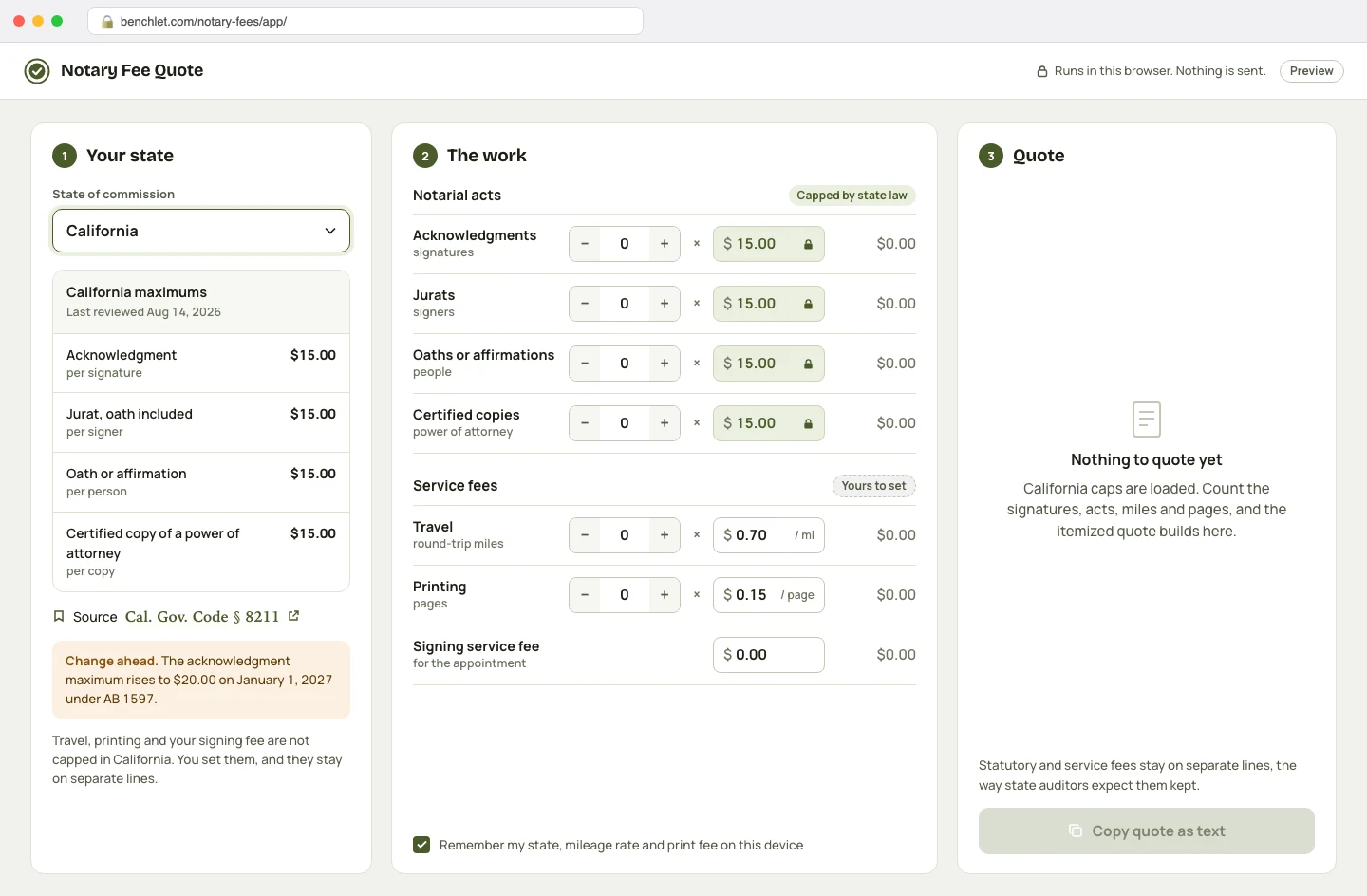
Pick your state
The statutory maximums for acknowledgments, jurats, oaths, and copy certifications load automatically, with a citation link to the statute they came from. The table carries a last-reviewed date, so you can see how fresh the caps are.
Notaries · for mobile notaries

Notary Fee Quote is a free calculator for mobile notaries and loan signing agents. Pick your state, enter the signatures and acts, add your travel and printing lines, and it returns an itemized quote with your state's statutory maximums already applied — so the capped part of the price is right by construction.
The statutory maximums for acknowledgments, jurats, oaths, and copy certifications load automatically, with a citation link to the statute they came from. The table carries a last-reviewed date, so you can see how fresh the caps are.
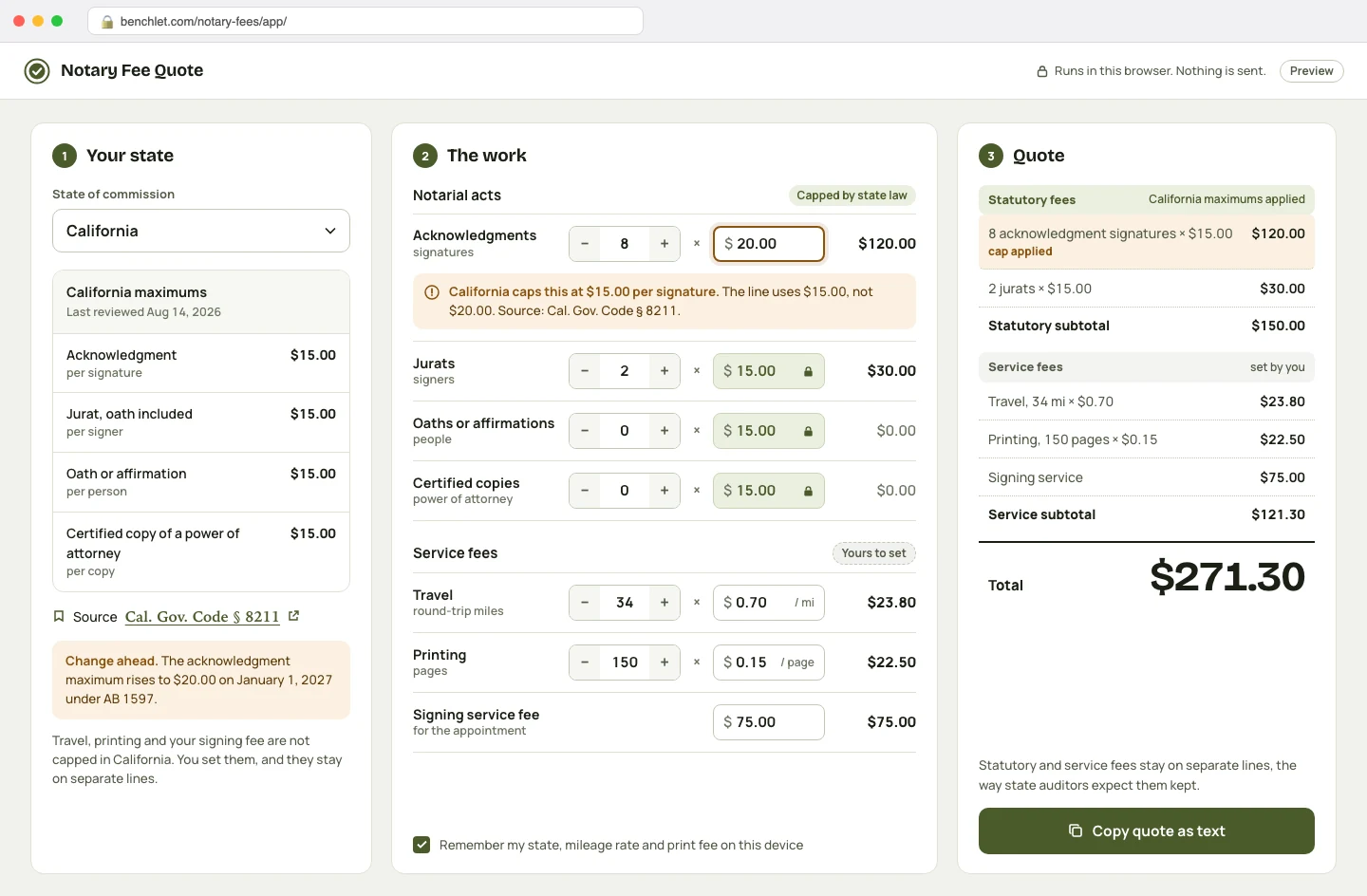
Signatures, notarial acts, round-trip miles at your mileage rate, pages printed, and any service fee for the signing itself. Capped items cannot be set above the cap; negotiated items are clearly marked as yours to set.
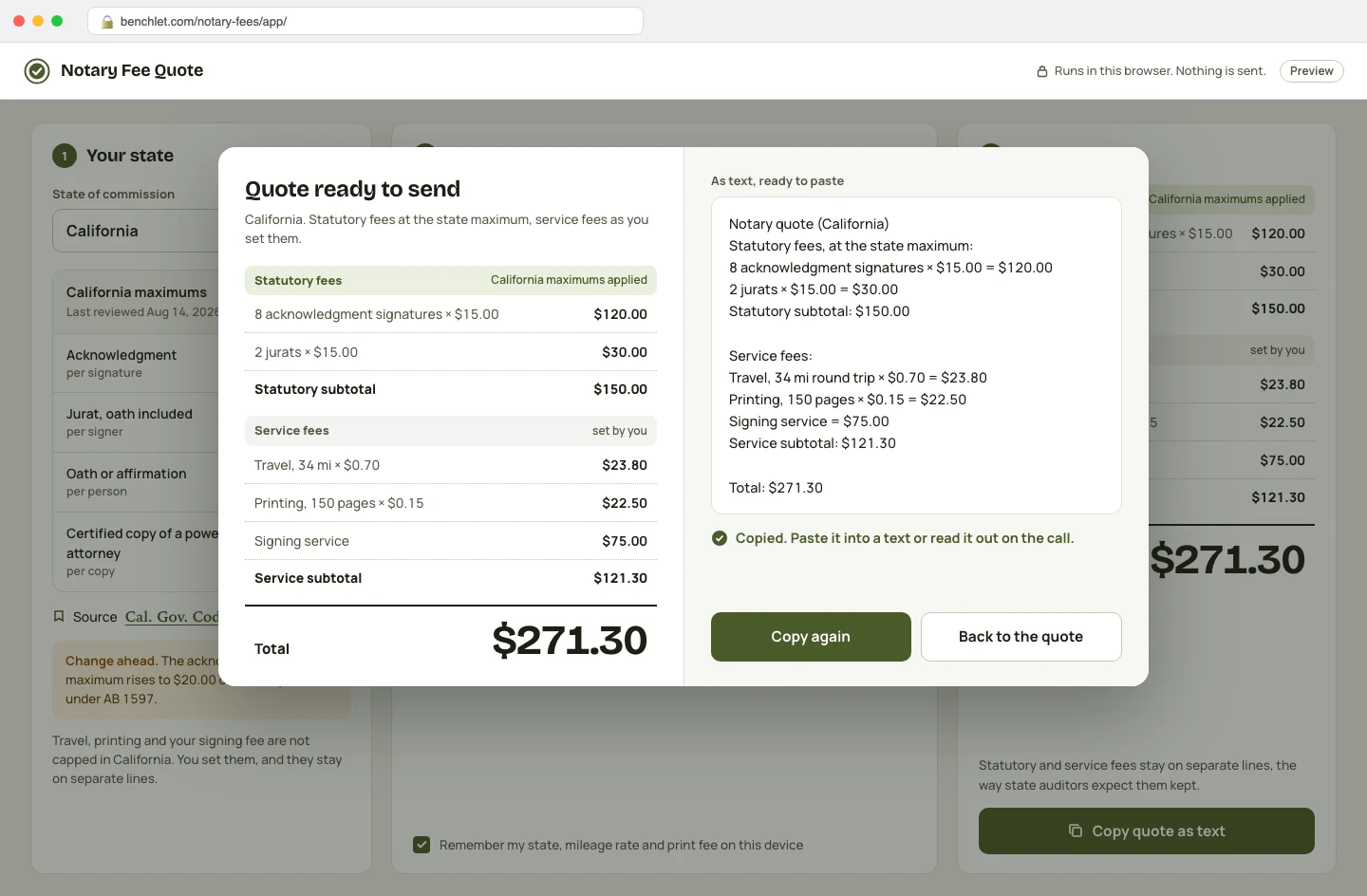
An itemized total, split into statutory fees and service fees, ready to say over the phone or paste into a text. The two categories stay apart, the way state auditors expect them to be kept.
A notarization does not have one price in the United States — it has at least fifty. Each state sets (or declines to set) a maximum a notary may charge per notarial act, and the numbers genuinely diverge. California allows up to $15 per signature for an acknowledgment under Government Code section 8211 (rising to $20 on January 1, 2027 under AB 1597). Florida caps most notarial acts at $10 under Statutes section 117.05. Texas allows $10 for the first signature on an acknowledgment and $1 for each additional one. Some states cap travel too; most leave it negotiable. If you are commissioned in one state, you only need your slice of that table — but you need it exactly right, because overcharging a capped fee is a compliance violation, not a pricing choice.
The working answer, for a lot of mobile notaries and loan signing agents, is a purchased spreadsheet. Fee tables and pricing calculators sell on marketplaces for real money, and people buy them — which tells you the need is real and the free options are not doing the job. But a spreadsheet bought in 2024 does not know about a 2027 statutory change, and the workflow is clumsy at the moment it matters: you are on the phone with a title company or a walk-in client, and the price needs to come out now, itemized, defensible. Quoting slow reads as amateur; quoting wrong on the capped line is worse.
This is not a directory, a course, or a lead-generation funnel. It is aimed at the independent operator: the mobile notary doing hospital and jail signings at odd hours, the loan signing agent juggling three title companies, the notary adding travel work on weekends. The economics of that work live in small numbers — a $15 act here, $0.70 a mile there — and the margin comes from quoting quickly and correctly. A tool that does that should not cost a subscription. It runs in the browser, works on a phone in the car, and stays free.
From each state's statute or administrative code — for example, California's $15-per-signature maximum for acknowledgments comes from Government Code section 8211, and Florida's $10-per-act cap from Statutes section 117.05. Every cap in the tool links back to its source so you can verify it yourself, and the table carries a last-reviewed date. We review it annually and when states pass fee changes.
Yes, as separate lines — which is exactly how you should present them. Most states cap only the notarial act itself; travel, printing, after-hours, and signing-agent service fees are generally negotiated separately (a few states do regulate travel, and the tool flags those). Your quote comes out itemized so the capped lines and the negotiated lines are never mixed.
No. It is a calculator with a researched reference table, not legal advice, and statutes change. Treat it as a fast starting point, verify the cap against the linked statute for your state, and when in doubt confirm with your commissioning authority (usually the Secretary of State) or a qualified attorney.
Those spreadsheets prove the demand — notaries pay real money for a table of 50 states and some formulas. But a purchased sheet is frozen the day you download it, lives in whichever app opens it, and makes you retype the math on your phone between signings. This tool keeps the same table maintained in one place, does the arithmetic instantly, and costs nothing.
No. The calculator runs entirely in your browser. Quote inputs — signer names excluded by design, since it never asks for any — stay on your device. Your browser can remember your own defaults (home state, mileage rate, print fee) locally, but nothing is sent to us.
 Planted tanks
EI and PPS-Pro doses for your exact tank
 Training
CSV roster in, a ZIP of print-ready PDFs out
 Soap making
Exact NaOH and KOH amounts for any oil blend
 Etsy sellers
One artwork, ten frame mockups, nothing uploaded
Pick the channel you use.