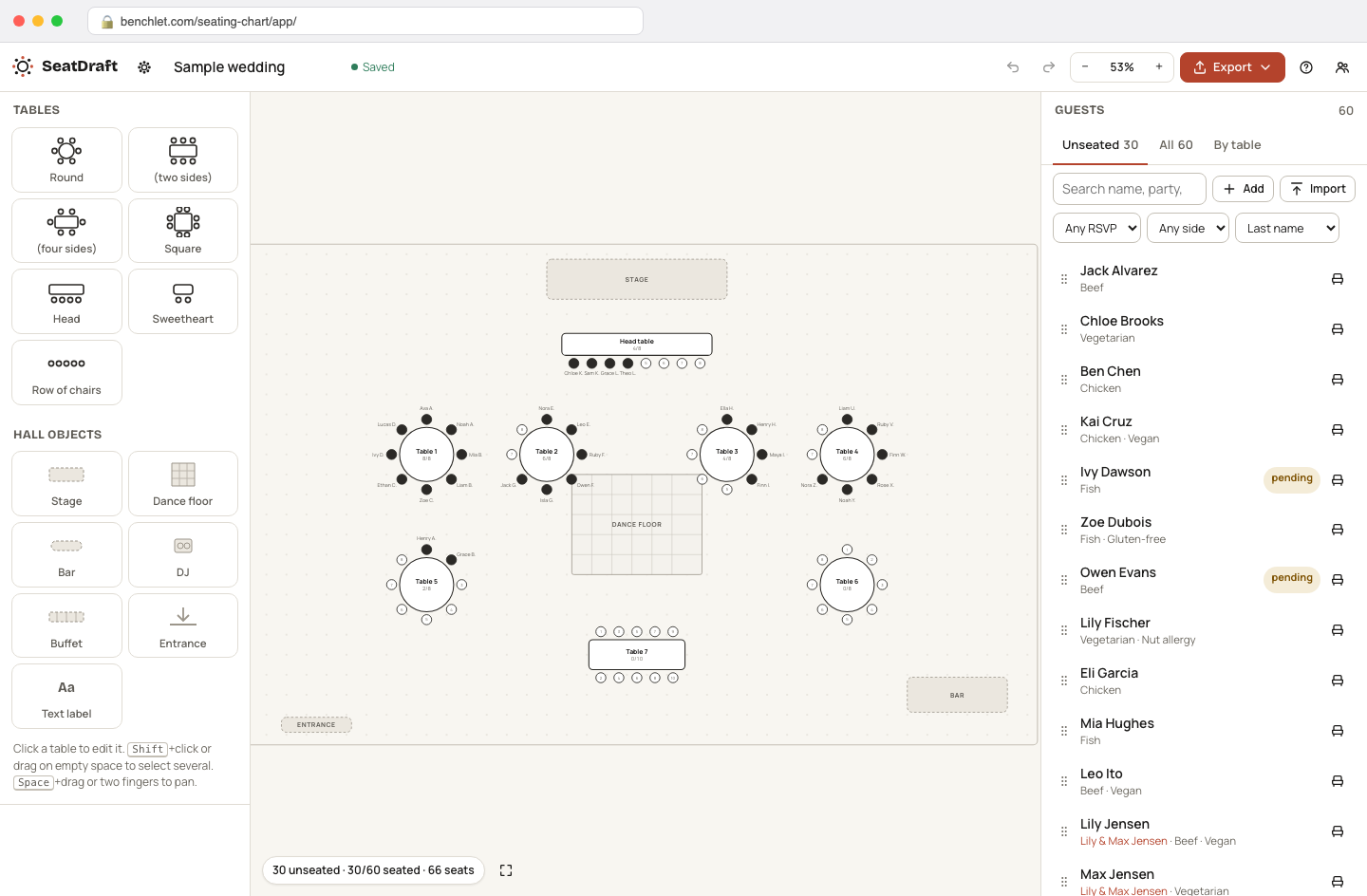
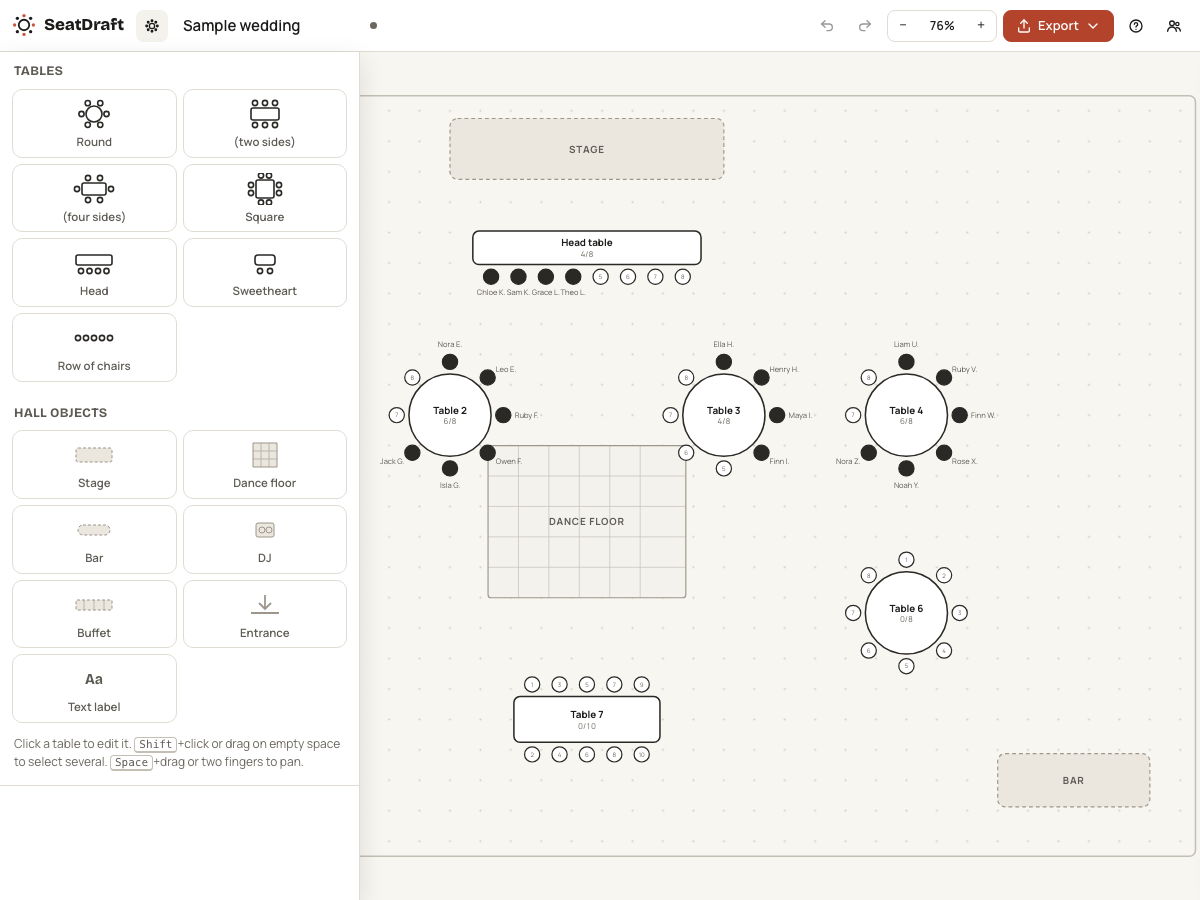
Lay out the room
Add tables from the shape palette (round, banquet, head table), set how many seats each one has, and arrange them to roughly match the venue floor. Table numbers are assigned automatically and can be renamed.
Events · for couples and event planners

Seating Chart Maker is a free editor for wedding and event seating: add round and banquet tables to a floor plan, drag guest names onto seats, and export the finished chart as a PDF or PNG. Everything runs on your own computer — the guest list is never sent to a server.
Add tables from the shape palette (round, banquet, head table), set how many seats each one has, and arrange them to roughly match the venue floor. Table numbers are assigned automatically and can be renamed.
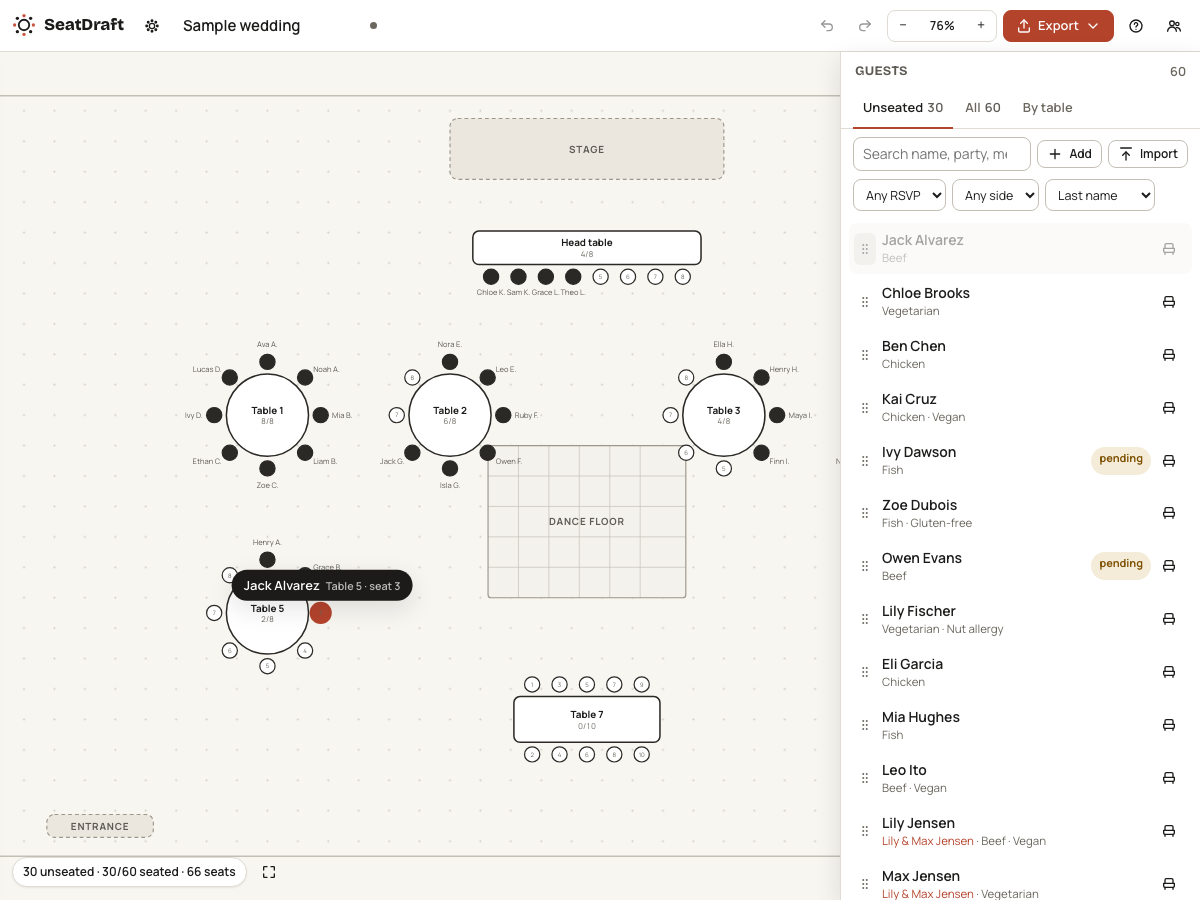
Paste your list or import a CSV, then drag names from the unseated panel onto chairs. Couples and plus-ones move as a pair, and a running counter shows how many of your guests still need a seat.
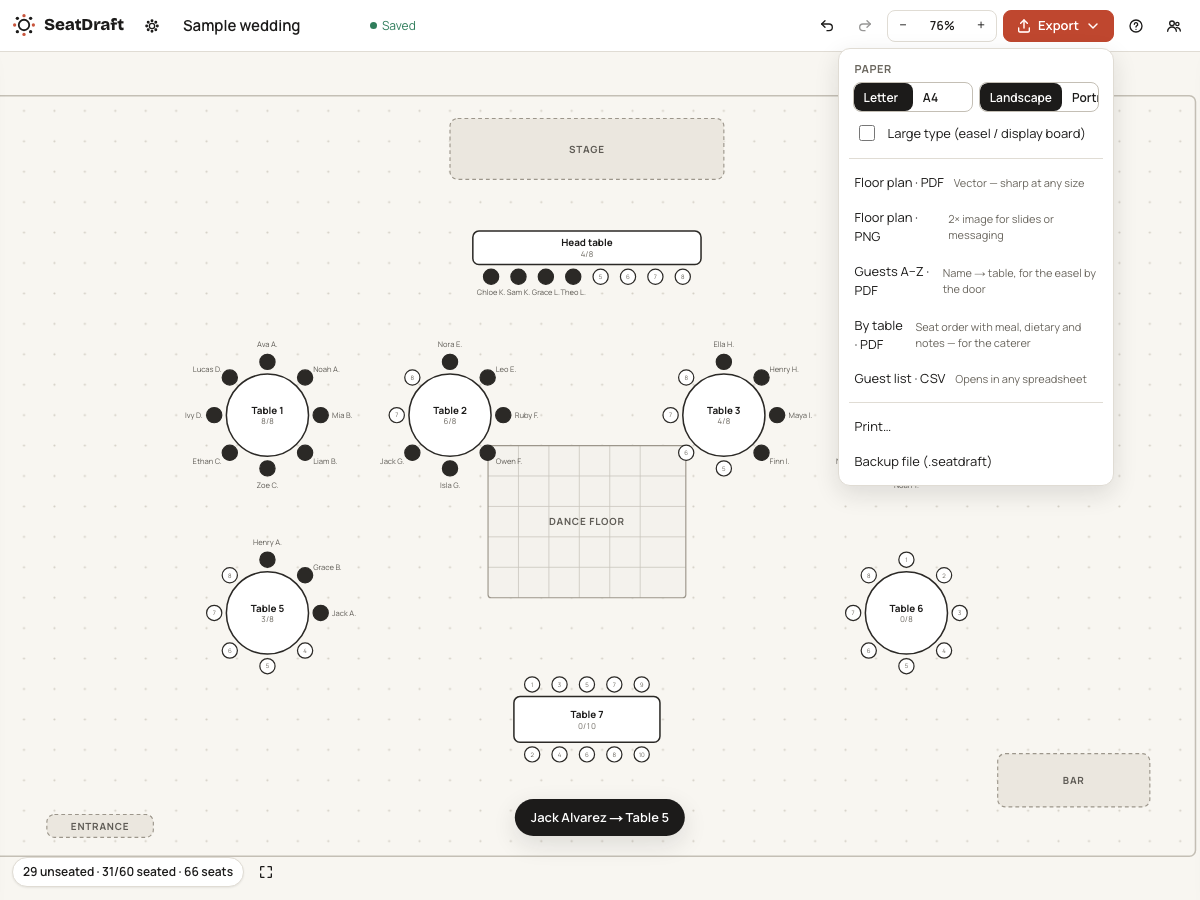
One click produces a clean PDF or PNG with no watermark: the visual floor plan, an alphabetical guest-to-table index, or both. Print it, send it to the venue, or upload it to a poster printer for the display board.
Almost every "free seating chart maker" you will find has the same shape: the editor is free, and the moment you try to save or print, a paywall appears. One well-known tool seats 40 guests on the free plan and asks $19.99 for a one-time pass to seat more and export CSV; another lets you build the entire chart and then charges about $8 just to unlock saving and exporting for 90 days. Others are free but demand an account first, which for a wedding means handing a vendor the full names of everyone you know, attached to your email address, for a chart you will use exactly once.
None of that toll-collecting is necessary. A seating chart is a drawing plus a list of names — a job a modern browser can do entirely by itself. When there is no server rendering your chart, there is no per-export cost to recover and no reason to hold the download hostage.
Seating happens late and changes constantly. RSVPs trickle in, a couple splits, an uncle cannot sit near a cousin, and the venue swaps two 10-tops for three 8-tops on Tuesday. The editor is built around that churn: unseated guests wait in a side list, every name is draggable at all times, and table capacity warnings update as you move people. When the final version lands, you export twice — a large-format chart for the easel by the door, and a table-by-table list the caterer and coordinator can read at a glance.
It is not only weddings. The same editor covers corporate dinners, fundraising galas, banquets, and classroom charts — anywhere a fixed set of people must map onto a fixed set of seats and somebody has to print the answer.
A guest list is quietly sensitive data. It is a complete roster of your family and friends, often with plus-one relationships and dietary notes, and hosted seating tools store it on their servers under a terms-of-service document nobody reads the week before a wedding. Running the whole editor client-side removes the question entirely. There is no signup form because there is no account system; there is no privacy policy gymnastics because no personal data ever arrives on our side. The only thing that leaves your browser is the file you deliberately export, and it goes wherever you save it.
The export is free, including PDF and PNG, with no watermark. That distinction matters because it is the standard trap in this category: several popular seating tools let you build the whole chart and then charge a one-time unlock fee when you try to save or export it. Since this tool does all its work in your browser, exporting costs us nothing, so it costs you nothing.
Nowhere. Names are typed or pasted into the page and stay in your browser's own memory and local storage. There is no server that receives them, no account they are attached to, and nothing to delete later. If you clear your browser data the chart is gone too, which is why the tool also lets you download your work as a file you can re-open.
There is no hard cap. Because the chart lives entirely on your machine, we do not meter guests the way hosted tools do — some free plans in this space stop at 40 guests unless you pay. A 150-guest wedding with 15 round tables, a head table, and a kids table is a normal-sized chart here, and the editor stays responsive well past that.
Yes. Paste a plain list of names, one per line, or drop in a CSV exported from a spreadsheet — the tool reads it locally, the same way it does everything else. Plus-ones can ride along on the same row so couples stay together when you drag them.
Round tables with 2 to 16 seats, rectangular banquet tables seated on both sides, a one-sided head table, and freestanding rows of chairs for ceremony-style layouts. You can mix shapes on one floor plan, rotate rectangular tables, and number or name each table for the printed chart.
 Planted tanks
EI and PPS-Pro doses for your exact tank
 Training
CSV roster in, a ZIP of print-ready PDFs out
 Soap making
Exact NaOH and KOH amounts for any oil blend
 Etsy sellers
One artwork, ten frame mockups, nothing uploaded
Pick the channel you use.