Studying · for students studying for exams with friends

StudyCrewGroup study timer with friends

StudyCrew is a group study timer for students who want to study alongside friends without sitting on a video call. You make a crew, share a six-character invite code, and whenever someone starts their timer the rest of the crew sees them as studying, with their clock counting up. Today's and this week's hours line up as a ranking, and the crew screen checks in about every 45 seconds while it is open. Studying solo, it is still a complete timer with a streak, a daily goal, and a month map.

  • Free
  • No ads
  • Timer works without an account
  • Keeps time if the app closes
  • Offline sessions sync later
  • Only your crew sees your times

Three moments

01

See a friend studying, start your own timer

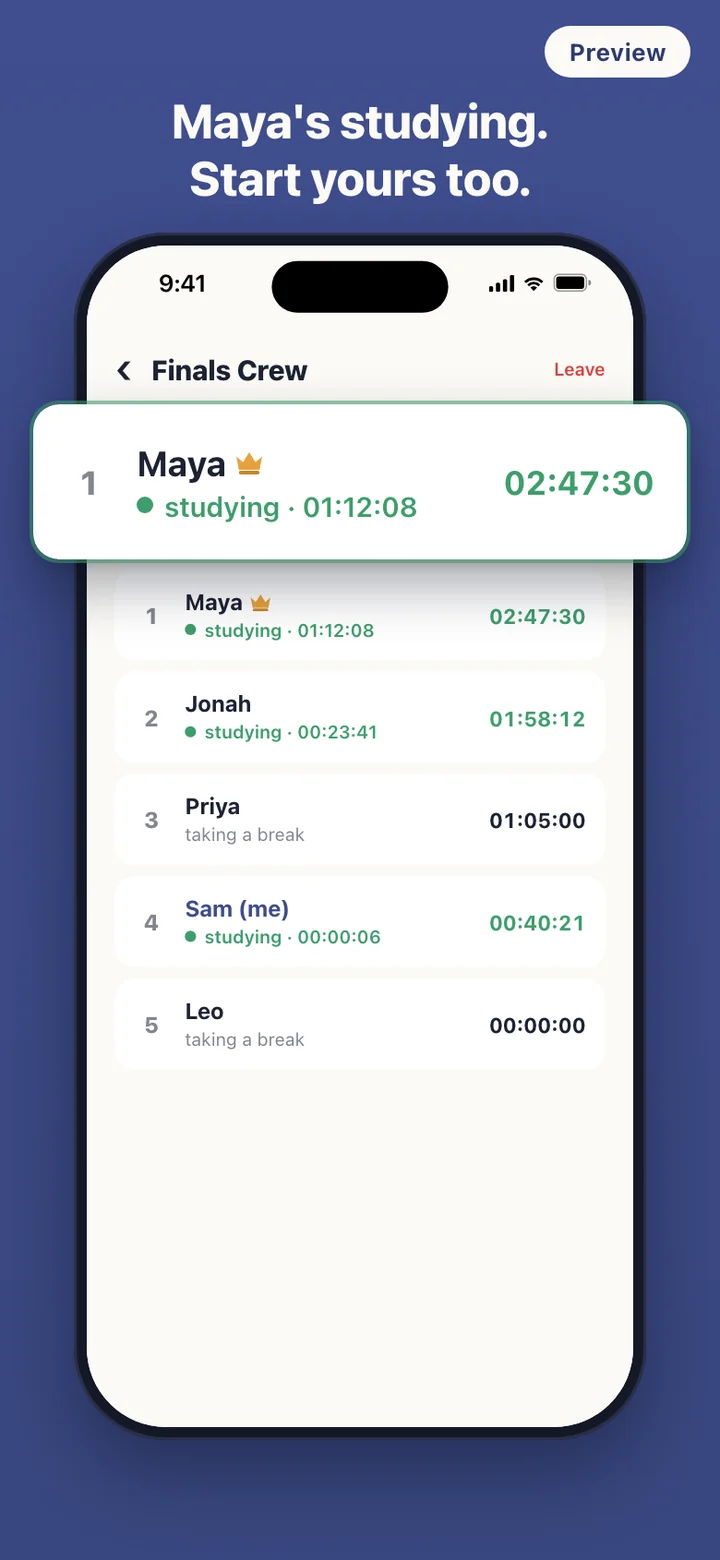
Open your crew and every running timer shows a green dot and a clock counting up second by second. If Maya is already an hour in, the Start studying button sits right below the list. Tap it, and the next time your friends' crew screens check in, within about a minute, your row turns green on their phones too.

02

Bring friends in with one invite code

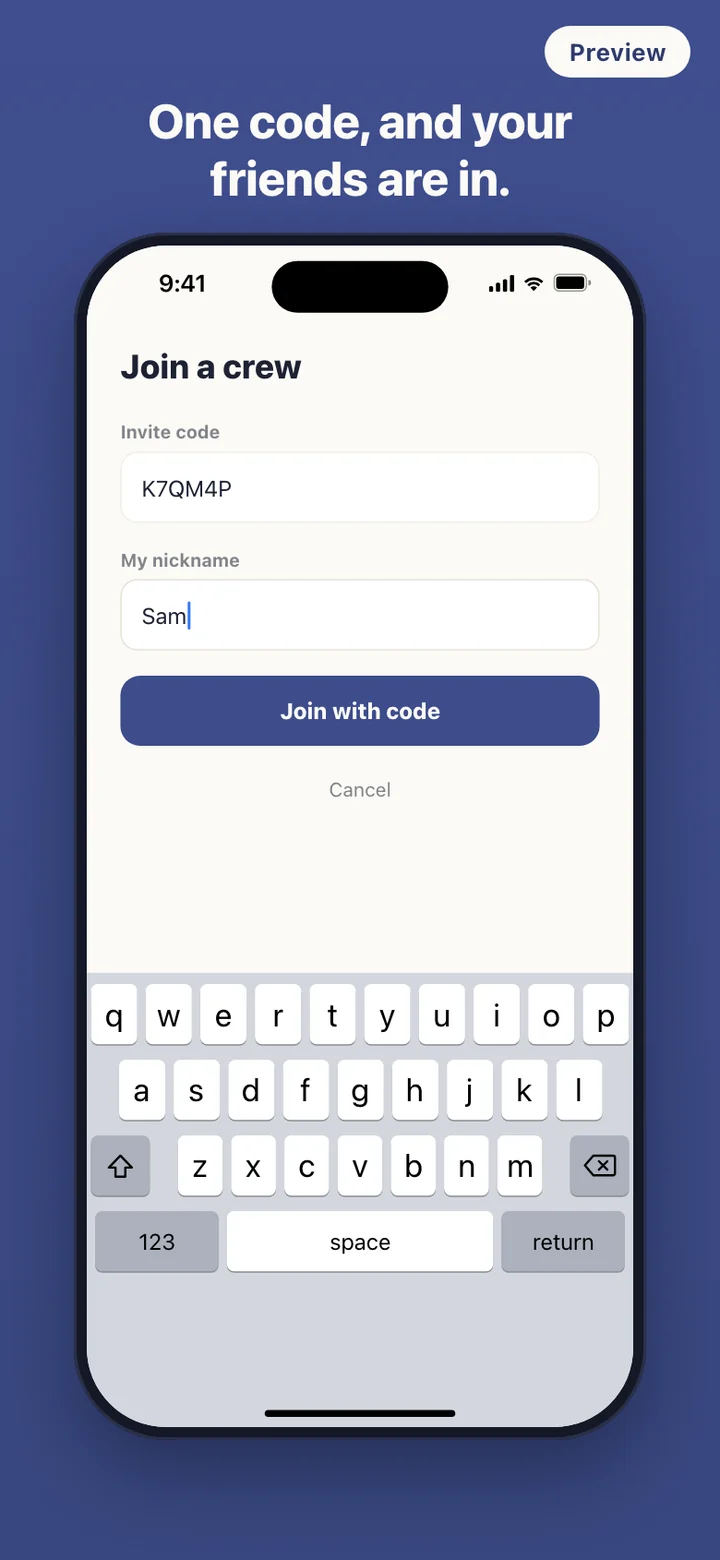
Every crew gets a six-character code that skips look-alike characters such as 0, O, 1 and I. Tap Share and it goes out through whatever messaging app your group already uses. Friends type the code, pick the nickname this crew will see, and land straight on the crew screen.

03

Keep your own streak and daily goal

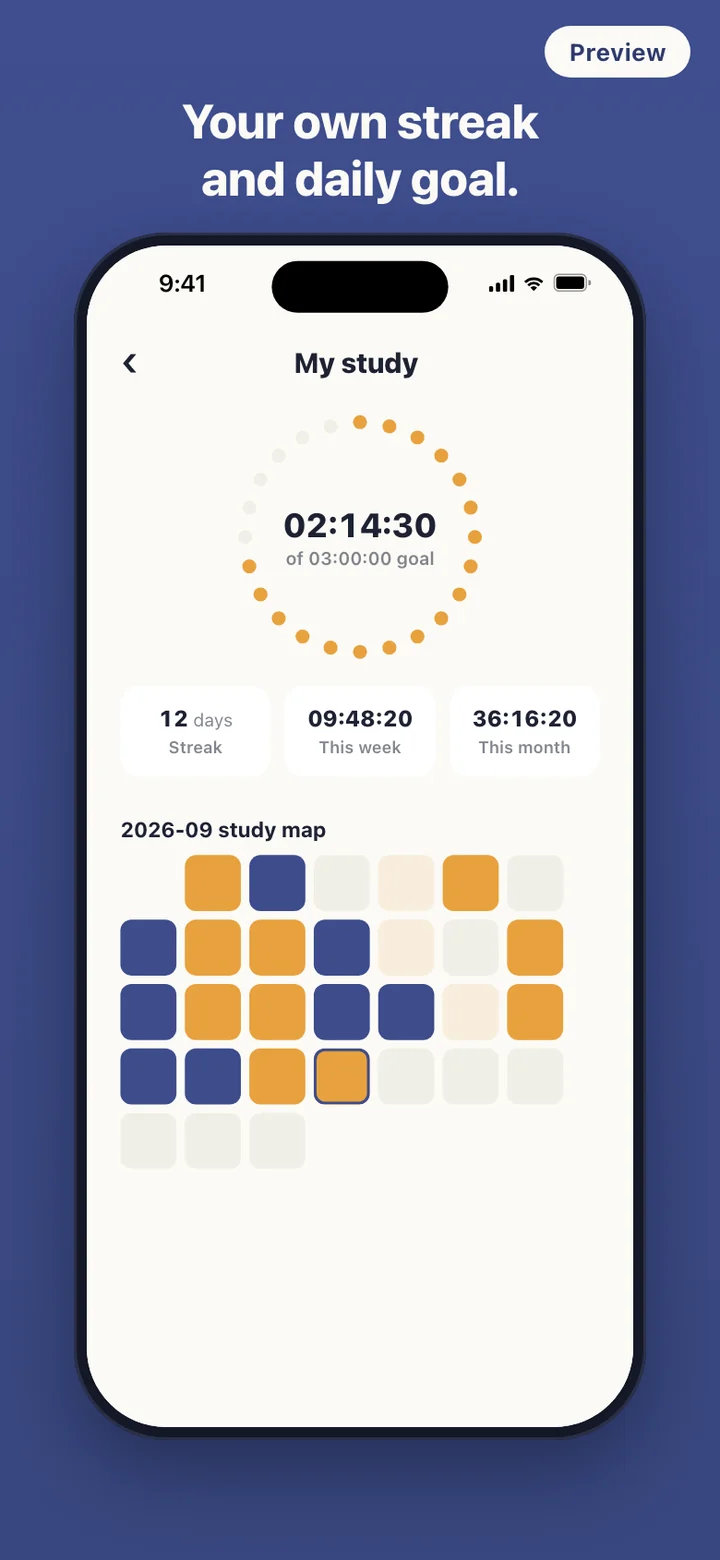
My study puts today's time inside a ring of 24 dots that fill toward your daily goal and turn green when you reach it. Below it sit your streak, this week, this month, and a month map shaded by how long you studied each day. A session that is still running counts while it runs.

Studying apart, together

Most students who study with friends end up doing it at a distance. Someone starts a video call and everyone mutes it, someone posts "starting now" in the group chat, someone else plays a study-with-me video in the background. Each works for a while. A muted call usually still means keeping a camera on for hours. A chat message scrolls away in ten minutes, and nobody can tell who actually kept going after saying they would.

StudyCrew turns the "starting now" message into the timer itself. Pressing Start is the announcement. Your crew sees your nickname, a green "studying" line with the time since you started, and your total for today, and that is all it sees. There is no camera, no microphone, and no screen sharing.

A day with a crew

Before your first class you open the crew and see two people already at it, so you press Start studying from the same screen. The home screen clock is large and plain: hours, minutes and seconds, with Pause and Finish underneath. Lock the phone and turn it face down. The timer stores the moment you started rather than a running count, so the time is right when you come back, even if the app was closed in between.

The Today tab is a ranking that keeps itself current. Totals include time that is still running, so the order shifts while people study. The This week tab adds up finished sessions from Monday to Sunday, which gives a group something to chase without anyone keeping score in a spreadsheet.

StudyCrew can also nudge you. Choose one of seven reminder times between 7:00 and 22:00, and the reminder stays quiet on a day you have already logged a session. The evening summary is a 9 pm check-in meant for days when you are still short of your daily goal. Both are local notifications scheduled on your phone.

Fair across time zones and patchy signal

Crews often span cities. StudyCrew counts each member's today by that member's own local midnight, so a friend studying late in another time zone is not split across two days. Weeks follow the same rule, Monday through Sunday.

The timer never waits for the network. Start or finish a session on a train with no signal and the session is queued on the phone, then sent the next time the app opens with a connection. The server keeps the duration you timed. It only trims a session that claims more time than actually passed between its start and its finish.

Worth opening before your crew shows up

A crew needs friends who say yes, and that can take a week. Until then the timer works on its own, without signing in. Once you sign in, every finished session feeds My study: today against your goal, a streak of consecutive days with any study, this week's and this month's totals, and a month map where each day is shaded by how long you studied.

The streak is forgiving in one specific way. If you have not studied yet today, it counts back from yesterday, so the number does not drop to zero at midnight; it only breaks when a whole day passes with nothing. Daily goals come in steps from 30 minutes to 6 hours.

What StudyCrew leaves out on purpose

There is no video, no voice, and no chat. The crew screen is a list, not a room, because the point is to get back to the books. There are no public leaderboards and no strangers. Only members of your crew can see your nickname and your times, and each crew gets its own nickname from you.

It does not block apps or lock your phone, and it never asks what subject you are studying. Press and hold any member to report their nickname or block them. A blocked person shows as (hidden) on your screen, and a nickname reported several times is hidden automatically. The crew owner can also remove members, and anyone can leave a crew without losing their own study records.

Frequently asked questions

Can my friends see when I'm studying in real time?

Close to it. While the crew screen is open, it checks in with the server about every 45 seconds, and between check-ins each running timer counts up second by second on your phone. A friend who starts studying shows up within about a minute. Nobody sees video, audio, or your screen; your crew sees a nickname, a studying or taking-a-break line, and time totals.

Do I need an account to use StudyCrew?

Not for the timer, which runs on your phone without signing in. Crews, rankings, and your stats history are kept on StudyCrew's server, so those need you to sign in. A session you time while signed out is queued on the phone and sent after you sign in; the server accepts queued sessions up to a week old.

What happens if I lock my phone or the app closes during a session?

Nothing is lost. The timer keeps the time you started and recalculates the elapsed time whenever you come back, including after the app was closed. Your crew keeps seeing you as studying until you tap Finish.

What data does StudyCrew send to its server?

Your sign-in, the names of crews you create or join, the nickname you use in each crew, for each session its start time, end time, duration, local date, and time-zone offset, and any report or block you make. The app does not ask for location, contacts, photos, camera, or microphone, and it has no field for what you are studying.

How does the ranking work when friends live in different time zones?

Today's ranking adds up each member's time for their own local day, so everyone's day resets at their own midnight. The weekly tab runs Monday to Sunday and counts finished sessions.

Can I remove someone from a crew or hide a nickname?

Press and hold a member to report their nickname or block them; blocked members show as (hidden) for you. The crew owner can also remove a member, and a nickname reported several times is hidden automatically.

Get StudyCrew

Pick the channel you use.