
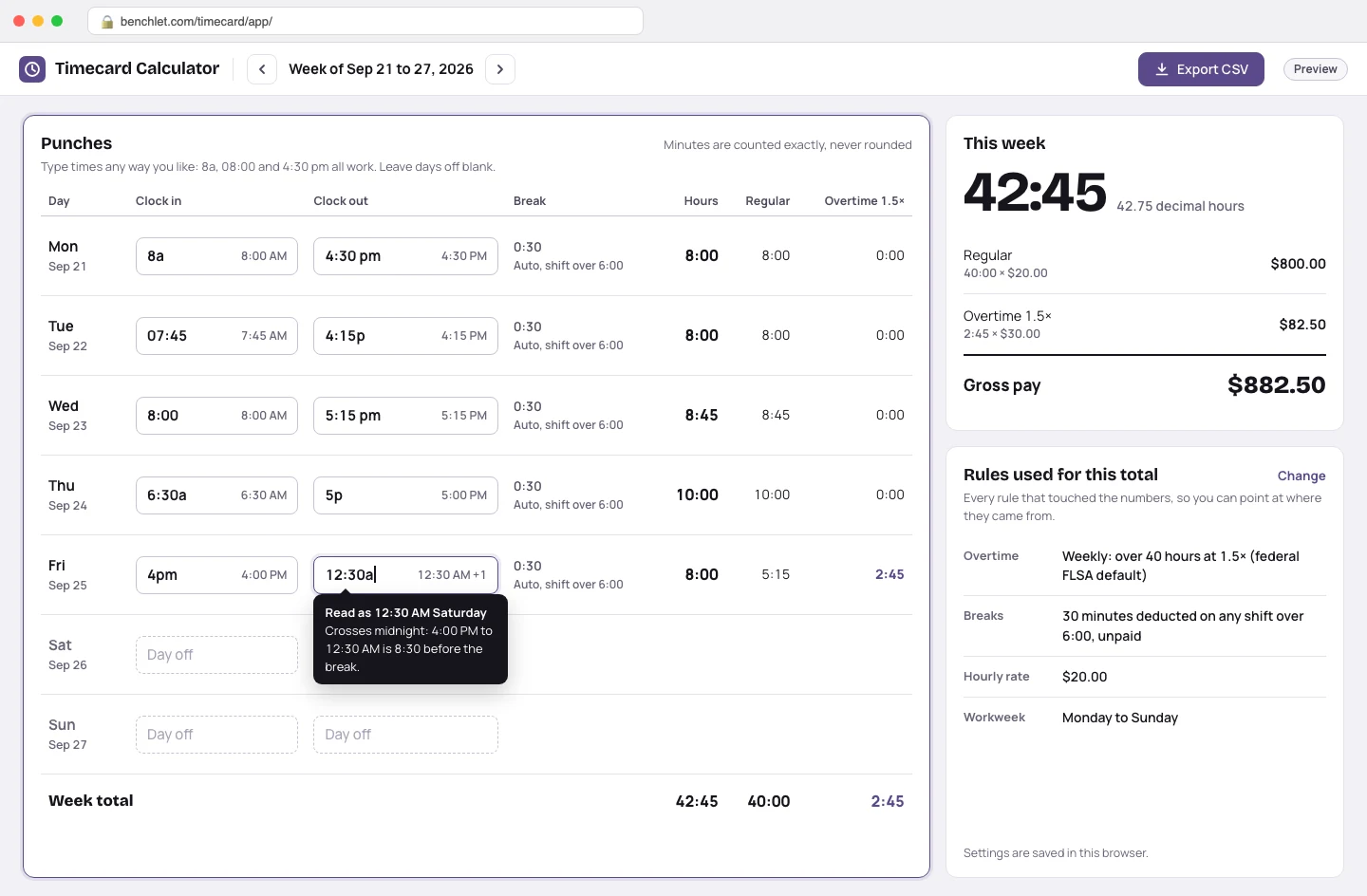
Enter the punches
Each day takes a clock-in and clock-out in whatever format you type: 8a, 08:00, 4:30 pm all parse. Shifts that cross midnight are handled without tricks, and days off simply stay blank.
Small business · for shop owners and bookkeepers

Timecard Calculator totals a week of clock-in and clock-out times in your browser: breaks are deducted automatically, overtime splits out under the rule you choose (over 40 hours weekly, or daily rules like California's), and the finished week exports to CSV for payroll. Free, with no advertising and no account.
Each day takes a clock-in and clock-out in whatever format you type: 8a, 08:00, 4:30 pm all parse. Shifts that cross midnight are handled without tricks, and days off simply stay blank.
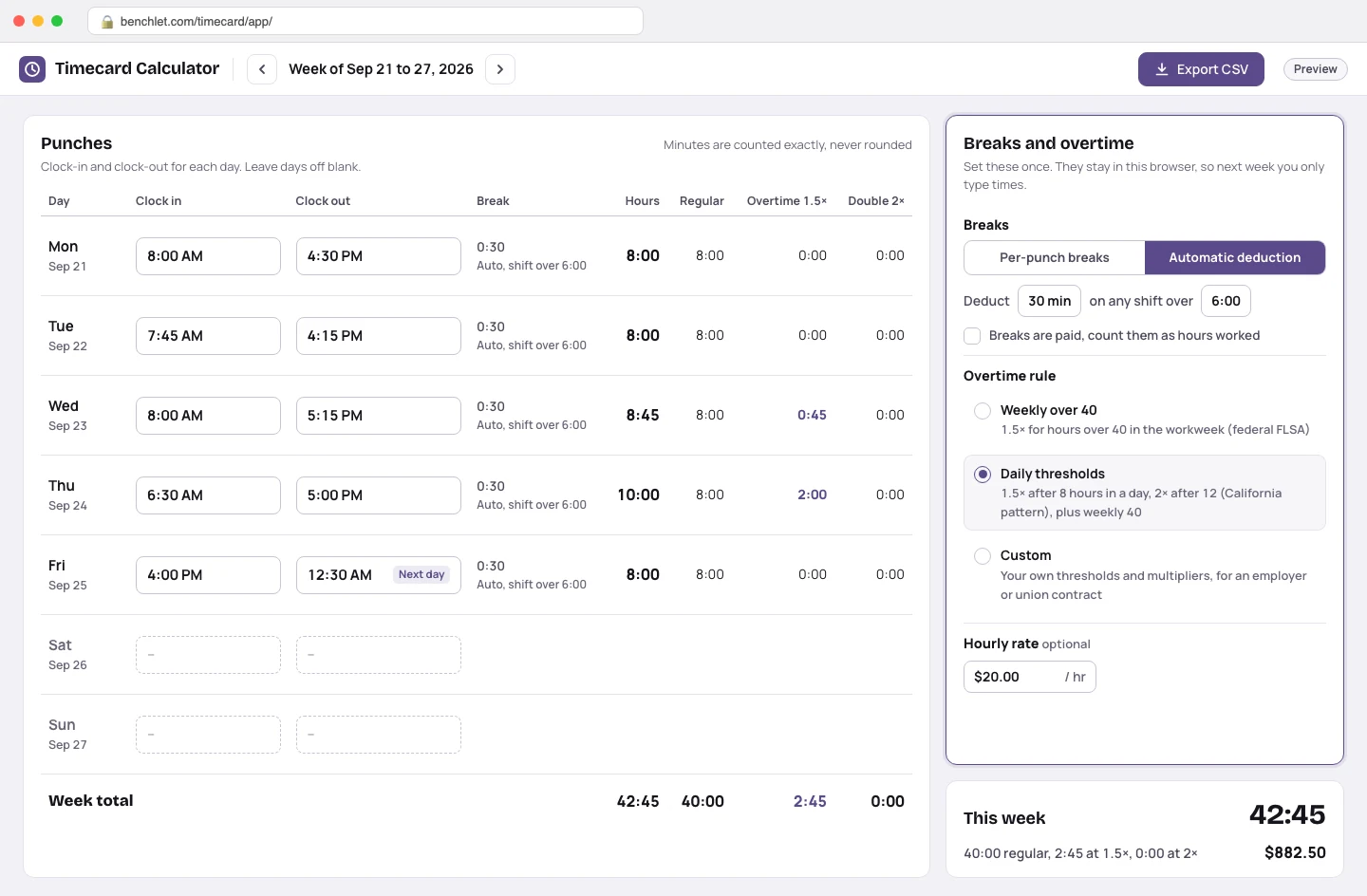
Choose per-punch breaks or an automatic deduction, pick your overtime rule (weekly 40, daily thresholds, or custom), and optionally add an hourly rate. The settings persist in your browser, so next week you only type times.
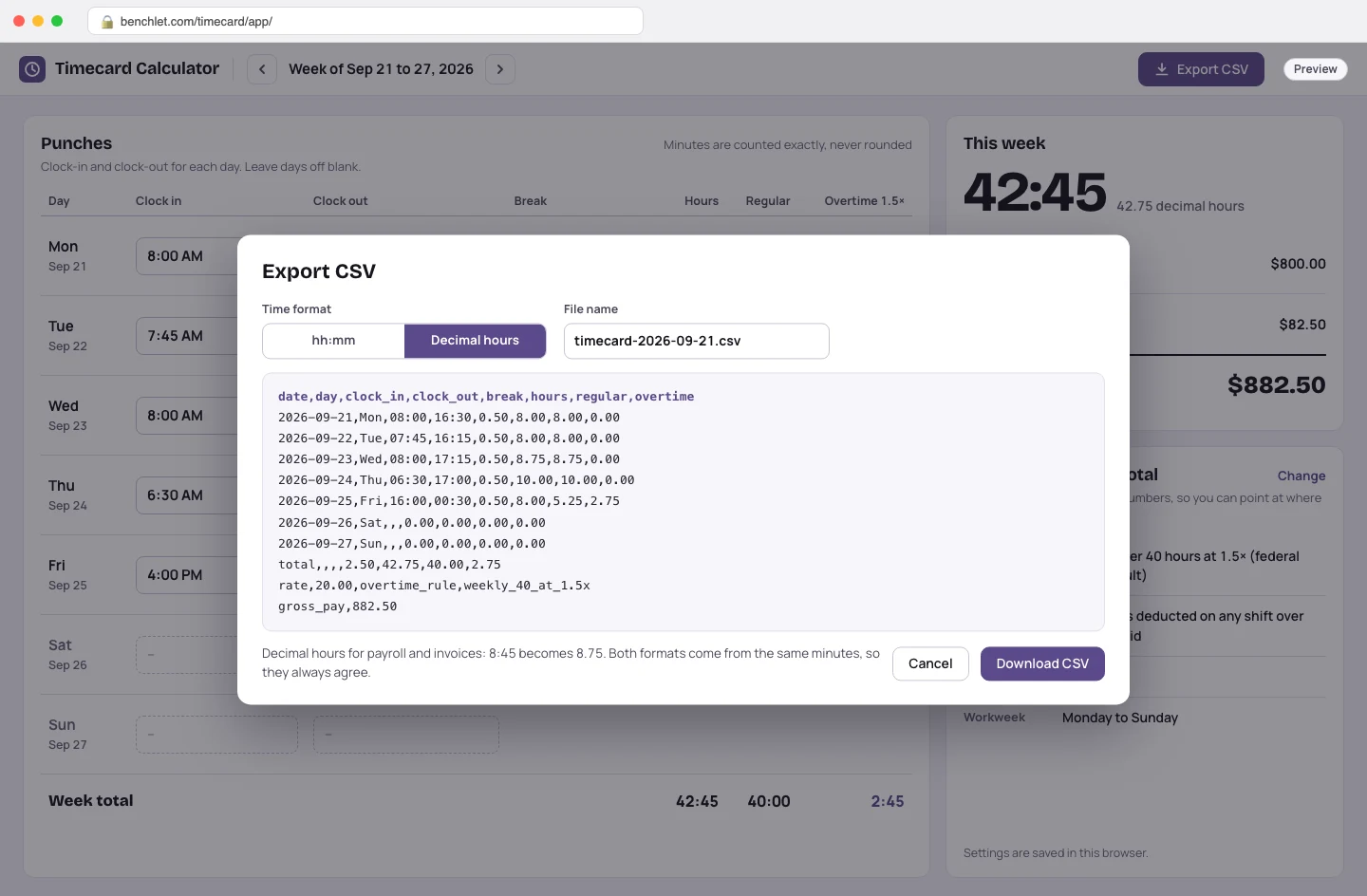
Daily totals, the regular-versus-overtime split, and gross pay update as you type. One click downloads a CSV in hh:mm or decimal hours, ready for payroll, invoicing, or your records.
Adding up a timecard is old, common, and constant — which is exactly why the search results for it have curdled. The long-standing free calculators work but wear 2000s-era interfaces wrapped in display ads, awkward on the phone where most people actually check their hours. The modern-looking ones are mostly lead magnets: a time-tracking or scheduling company publishes a "free calculator" page whose real job is to funnel you toward a per-employee monthly subscription, so the calculator is kept just limited enough to make the pitch land. Between the two, the person who simply wants this week's hours added up correctly gets either a banner farm or a sales page.
Three groups, mostly. Hourly workers double-checking a paystub — did the 10-hour Thursday actually get its overtime? Shift supervisors and small-business owners who collect paper or texted punches from a handful of employees and need clean totals for the bookkeeper by Friday. And freelancers or caregivers who bill by the hour and need minutes turned into decimal hours without a spreadsheet formula. None of them need employee onboarding, GPS clock-ins, or a 14-day trial. They need arithmetic that handles the fiddly parts — midnight-crossing shifts, unpaid lunches, mixed overtime multipliers — and a way to get the result out.
A timecard calculator earns trust in the edge cases. Minutes here are computed as integers, never floating-point hours, so 7:20 plus 7:20 plus 7:20 is exactly 22:00 rather than 21.999. Overtime is split before pay is computed, so a 42:45 week at $20 an hour comes out as 40:00 regular plus 2:45 at time-and-a-half — $882.50, the number your paystub should show. And because every rule that touched the total is displayed beside it, you can hand the printout to a manager or bookkeeper and point at exactly where the numbers came from. One honest caveat: overtime law varies by state and by contract, and this page is a calculator, not legal advice — when a paycheck dispute is on the table, check your state labor department's rules.
The default is the federal FLSA rule: hours over 40 in a workweek at 1.5 times the regular rate. You can also switch on daily overtime for states that use it — for example California's pattern of 1.5x after 8 hours in a day and 2x after 12 — or set your own thresholds and multipliers if your employer or union contract differs. The rules are shown next to the total so you can see exactly which one produced the split.
Two ways, matching how workplaces actually operate. You can enter each break as its own out-and-in punch pair, or set a fixed auto-deduction (say, 30 minutes on any shift over 6 hours) and let the calculator subtract it from every qualifying day. Paid breaks can be marked as such so they count toward hours worked.
Only in your own browser. The week you are working on is kept in local storage so a closed tab does not eat your entries, but nothing is transmitted — there is no account and no server holding timesheets. The CSV export exists precisely so you control where the permanent copy lives: your payroll folder, your email, your bookkeeper.
Yes. Totals display in hh:mm while you work, because that is how people think about time, and the CSV export offers decimal hours (8:45 becomes 8.75), because that is what payroll systems and invoice math want. Both formats come from the same underlying minutes, so they always agree.
It is free, and the page carries no advertising, no email gate, and no upsell into a time-tracking subscription. Benchlet builds small single-purpose tools and validates them with an early-access list like the one on this page — the signup is optional and only gets you a launch email. Since the calculator runs entirely client-side, keeping it free costs almost nothing.
 Planted tanks
EI and PPS-Pro doses for your exact tank
 Training
CSV roster in, a ZIP of print-ready PDFs out
 Soap making
Exact NaOH and KOH amounts for any oil blend
 Etsy sellers
One artwork, ten frame mockups, nothing uploaded
Pick the channel you use.